
Checklist Before Replacing Your Business Phone System
Protect telephone numbers, live customer calls, emergency access, analogue devices, CRM workflows and site continuity before changing PBX, VoIP or communications provider.
Fast answer: Before replacing a business phone system, inventory every number, line, device, user, call flow, integration and contract. Confirm porting ownership, broadband and power resilience, emergency calling, recording rules, security, testing and fallback. Do not cancel the old service until numbers and live inbound calls are verified.

Confirm Which Services Are Affected by the UK PSTN Retirement
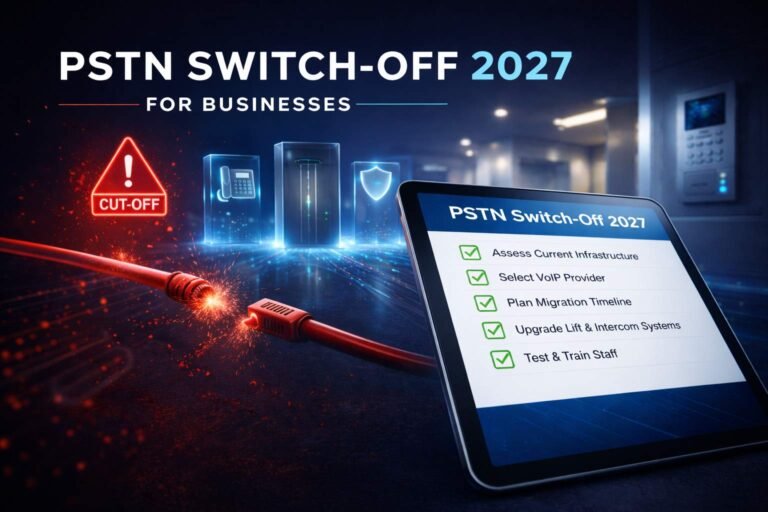
Openreach says BT Group plans to retire the analogue Public Switched Telephone Network by 31 January 2027. Communications providers may move customers earlier, and the date does not mean every business should wait until the final deadline.
The withdrawal affects traditional analogue voice products and services that depend on them. Openreach also warns that business equipment such as fire and burglar alarms, payment terminals, lift lines and CCTV connections may need to be migrated.
System ScopeBusiness Phone System Replacement Checklist
Numbers
Inventory geographic, non-geographic, DDI, fax, service and presentation numbers, including blocks and spare numbers.
Contracts
Record provider, account holder, term, notice, finance, support and third-party maintenance obligations.
Analogue devices
Trace alarms, lifts, door entry, payment terminals, fax, telemetry and every line-connected device.
Users and sites
Map office, home, mobile, warehouse, reception, contact-centre and shared-device requirements.
Call flows
Document IVR, queues, hunt groups, schedules, overflow, voicemail, transfers and emergency routes.
Connectivity
Test broadband, LAN, Wi-Fi, firewalls, power, mobile fallback and site resilience.
Compliance
Review emergency calling, location, recording, retention, privacy notices and sector requirements.
Security
Control identities, administration, devices, calling permissions, fraud alerts, logs and backups.
Integrations
Test CRM, helpdesk, directories, calendars, reporting, call recording and business continuity links.
Cutover
Define port order, freeze, test script, owner, communications, fallback, rollback and sign-off.
Inventory Every Number, Line and Service
| Number or Range | Type | Current Provider | Service Address | Published Where | Dependency | Migration Decision |
|---|---|---|---|---|---|---|
| Main published number | Geographic or non-geographic | Record provider | Record address | Website, directories, signage and documents | Reception or IVR | Port and test |
| DDI range | Number block | Record range holder | Record address | Users and departments | PBX extensions | Port complete range or document exceptions |
| Fax number | Geographic | Record provider | Record address | Forms, suppliers or sector workflows | Fax device or service | Replace with supported digital process |
| Alarm or lift line | Analogue service | Record provider | Physical device location | Not normally published | Specialist equipment | Specialist migration and acceptance |
| Service or campaign number | 0800, 03, 084 or other | Record provider | Routing destination | Campaigns and customer documents | Inbound routing platform | Retain, reroute or retire deliberately |
Verify number-porting eligibility and authority
Ofcom describes number portability as the regulated facility that allows customers to keep telephone numbers when changing provider. Porting still depends on accurate account, service-address, range and ownership details.
- Confirm the legal account holder and current provider reference.
- Check whether the number belongs to a block and whether all numbers must move together.
- Identify ceased, spare and unpublished numbers that still receive calls.
- Verify that the service address matches provider records.
- Record any broadband or other service tied to the same account.
- Do not cancel the source service before the gaining provider confirms the port process.
Review Contracts, Ownership and Exit Conditions
| Area | What to Confirm | Risk if Missed |
|---|---|---|
| Service term | Minimum term, renewal, notice and early termination | Unexpected overlap or exit charges |
| Hardware finance | Ownership, rental, lease, return and support obligations | Paying for unusable equipment or breaching return terms |
| Number control | Account holder, port authority and range details | Rejected or delayed port |
| Support | Current maintenance, fault route and third-party dependencies | No owner during migration faults |
| Data | Recordings, voicemail, reports, contacts and configuration export | Loss of required operational evidence |
| Termination sequence | What ceases automatically when a number or line moves | Broadband, alarm or related service stops unexpectedly |
Find Every Analogue and Specialist Device
Life-safety and building systems
Use the equipment maintainer and risk owner, not only the phone provider.
- Fire and burglar alarms
- Lift emergency lines
- Door entry and intercoms
- Telecare and lone-worker devices
- CCTV and monitoring diallers
Business process devices
Confirm whether a supported IP, mobile or cloud alternative exists.
- Fax and multifunction printers
- Payment and franking terminals
- Modems and telemetry
- Legacy conference units
- Analogue door and paging devices
Openreach states that special services such as alarms, lift alarms, telemetry and fax need a compatible digital arrangement and that local power becomes relevant when service depends on a router.
Step 4Map Users, Sites and Call Flows
Rebuild the communication requirement from current business operations rather than copying every extension and menu option without challenge.
| Call Type | Trigger | Primary Route | Overflow | Out-of-Hours | Failure Route |
|---|---|---|---|---|---|
| Main number | Inbound customer call | Reception, IVR or queue | Backup team or external answering | Voicemail or on-call route | Alternative published number |
| Sales | Direct or menu selection | Sales queue | Named overflow users | Lead capture | CRM task and callback route |
| Support | Customer support selection | Service queue | Escalation or duty engineer | Emergency support rules | Ticket creation and mobile fallback |
| Individual DDI | Direct caller | Assigned user | Delegate or team | Voicemail | Mobile or shared queue |
| Emergency or priority | Defined high-priority contact | Named response route | Second responder | On-call process | Documented non-PBX alternative |
Define the user and device policy
- Desk handset, computer softphone, mobile application or browser
- Shared phones in reception, warehouse, meeting and public areas
- Home and hybrid users
- Headsets, accessibility and hearing-support needs
- Hot-desking, shared lines and delegated answering
- Joiners, movers, leavers and temporary staff
Test Connectivity, Network and Power Resilience
Cloud telephony moves call dependency onto local internet, network and power. Raw broadband speed alone cannot prove voice quality or continuity.
| Area | Check | Acceptance Evidence |
|---|---|---|
| Internet | Upload capacity, latency, jitter, packet loss, contention and stability | Measurements during peak business periods |
| LAN | Switch capacity, VLAN, QoS, PoE, cabling and device health | Configured and monitored voice path |
| Wi-Fi | Coverage, roaming, interference and call density | Real movement and handset tests |
| Firewall | Supported ports, NAT, SIP handling, security and vendor guidance | Successful calls without unsafe broad rules |
| Power | Router, firewall, switches, access points, gateways and phones | UPS duration and shutdown or fallback procedure |
| Alternative path | Secondary circuit, mobile data, call diversion or provider failover | Controlled failure test |
Power cuts and emergency access
Ofcom explains that broadband-based calls may not work during a power cut because routers and related equipment require mains power. Its provider guidance includes identifying customer needs and making an emergency-access solution available for at least one hour in qualifying circumstances. A business should still design its own site and operational continuity according to risk.
Step 6Define Emergency Calling and Location Information
Confirm 999 and 112 access with the provider for desk phones, softphones, mobile applications and remote workers. Nomadic services create a location-management issue because a number or user may be used away from the registered address.
| Question | Evidence | Owner |
|---|---|---|
| Which devices can call 999 and 112? | Provider service description and controlled verification | Telecoms owner |
| What location is associated with each site or number? | Provider emergency-location register | Site and telecoms owner |
| How are home and travelling users handled? | Remote-user policy and user guidance | IT and HR |
| What happens during broadband or power failure? | UPS, mobile and alternative calling route | Business continuity owner |
| How are moves and new sites updated? | Joiner, mover and site-change procedure | Service administrator |
Review Call Recording, Privacy and PBX Security
Recording and privacy
Define purpose and retention before migrating recordings.
- Lawful basis and sector requirements
- Caller and worker information
- Role-based access and audit
- Retention, deletion and subject rights
- Recording pause and sensitive-data handling
PBX and account security
The NCSC warns that compromised PBX systems can be used for fraud, denial of service and other telecoms abuse.
- Supported software and timely updates
- MFA and restricted administration
- Least-privilege calling permissions
- International and premium-rate controls
- Logs, alerts, backups and incident response
The ICO’s worker-monitoring guidance gives examples of recording calls for training and quality control where workers are informed through policy and callers are told during calls. A business should document its actual purpose, lawful basis, proportionality, access and retention rather than copy a generic announcement.
Step 8Plan CRM, Helpdesk and Reporting Integrations
| Integration | Required Behaviour | Failure Check |
|---|---|---|
| CRM screen-pop | Match the correct customer using controlled number formats | Shared numbers and duplicates do not expose the wrong record |
| Call activity | Log direction, user, number, time, duration and outcome | Retries do not create duplicate activities |
| Recording link | Link authorised users to the correct recording or archive | Expired or restricted recordings fail safely |
| Missed-call workflow | Create an owned callback task with source and queue | Repeated calls do not create uncontrolled duplicates |
| Helpdesk | Associate calls with the correct ticket or create a controlled new case | Customer and ticket permissions remain correct |
| Reporting | Preserve queue, outcome, abandon, answer and user definitions | Old and new reports are not compared without definition mapping |
Where customer data and telephone workflows must work together, review BhavPro’s VoIP and CRM integration guidance before finalising the target design.
Step 9Control Number Porting, Cutover and Communications
| Stage | Control | Acceptance Evidence |
|---|---|---|
| Port preparation | Validate account, address, range, losing provider and associated services | Provider accepts the order without unresolved mismatch |
| Change freeze | Restrict account, number, routing and address changes | Approved frozen configuration |
| User preparation | Issue devices, training, login, emergency and fallback instructions | Named user acceptance |
| Pre-port testing | Test temporary numbers, call flows, outbound caller ID and integrations | Signed test script |
| Port window | Named provider, IT, operations and decision contacts remain available | Live issue and escalation log |
| Inbound validation | Test every published number and representative range from several networks | Expected routing and audio in both directions |
| Rollback or diversion | Use approved temporary route when service is materially impaired | Customers can reach the business while correction continues |
Ofcom’s business-customer protections include number portability on reasonable terms and reactivation of the number and relevant services where a port fails until the process completes successfully. Operationally, the business still needs its own escalation contacts and customer-access fallback.
Interactive AssessmentBusiness Phone System Replacement Readiness Checker
Assess one migration covering the same sites, provider decision and cutover window.
Phone System Cutover Control Checker
Select the evidence currently available. The result identifies whether the project is ready for discovery, controlled testing or cutover review.
Port-Day Acceptance and Continuity Test
| Test | Expected Result | Evidence | Owner |
|---|---|---|---|
| Inbound main number | Correct greeting, route, audio and reporting | Calls from mobile and fixed networks | Operations |
| DDI and number range | Representative and high-value numbers reach correct users | Range test log | Telecoms owner |
| Outbound caller ID | Approved number displays for each user and queue | External handset checks | Telecoms owner |
| IVR, queue and overflow | Normal and capacity routes behave as approved | Timed test script | Department owner |
| Out-of-hours | Schedule, voicemail, on-call and emergency routes work | Forced schedule test | Operations |
| Transfers and conferences | Internal and external transfer paths preserve audio and caller context | User test | IT |
| Power or internet failure | Approved diversion or alternative calling remains available | Controlled failover test | Business continuity |
| Emergency access | Provider configuration and location records are confirmed | Approved verification procedure | Site owner |
| Recording and privacy | Required calls record, restricted calls do not, and access is correct | Authorised playback test | Compliance owner |
| CRM and helpdesk | Correct record, owner and activity are created without duplicates | End-to-end workflow test | CRM owner |
Do not close the migration on the port date
Keep a defined hypercare period for routing anomalies, user issues, delayed number changes, recording, CRM activity and call-quality trends. Retain the old configuration, exports and escalation details until the agreed rollback and evidence period ends.
When the inventory, target call flows and migration risks are understood, BhavPro’s VoIP consulting service can help assess providers, architecture, porting, resilience, integration and implementation sequencing.
Discover
Inventory numbers, services, devices, contracts, users, sites and dependencies.
Design
Define call flows, devices, connectivity, emergency, security and integration requirements.
Validate
Confirm provider, number, port, analogue-device and contract feasibility.
Pilot
Test users, temporary numbers, calls, network, recordings and integrations.
Port
Apply the freeze, migrate numbers and execute the live acceptance script.
Stabilise
Monitor, correct, sign off and decommission only after evidence is complete.
Need an independent migration plan before committing to a phone provider?
BhavPro can map the current estate, identify hidden dependencies, define the target requirements and create a controlled selection, porting and cutover plan.
Business Phone System Replacement FAQs
What should be checked before replacing a business phone system?
Inventory numbers, lines, users, sites, devices, contracts, call flows, recordings, integrations, emergency requirements, analogue equipment, connectivity, security, reporting and support. Then define acceptance tests, porting responsibility, cutover sequence, fallback and rollback.
When is the UK PSTN being switched off?
Openreach says BT Group plans to retire the analogue PSTN by 31 January 2027. Individual communications providers may migrate customers earlier, so businesses should confirm the dates and products affecting each site and line directly with their provider.
Can a business keep its existing phone numbers?
UK number portability allows customers to retain numbers when changing provider, subject to eligibility and a valid porting request. Confirm the current range holder, service address, account details, number type, associated services and whether any number is part of a larger block.
Should the old phone service be cancelled before number porting?
Normally, no. Cancelling the source service can remove or jeopardise the numbers needed for porting. Follow the gaining provider's documented process and keep the old service active until porting and inbound-call validation are complete.
Which analogue devices must be checked?
Check lift lines, fire and burglar alarms, door entry, intercoms, fax, payment terminals, CCTV diallers, telemetry, franking machines, modems, telecare and any device connected to a telephone socket. Each may need a specialist digital alternative.
Will a VoIP phone system work during a power cut?
Not automatically. Internet routers, switches, access points, handsets and local gateways require power. Design battery backup, alternative connectivity, mobile fallback and emergency-calling procedures according to site risk and provider capability.
How much internet bandwidth does VoIP need?
Bandwidth depends on codec, concurrent calls, overhead and other network traffic. More important than raw speed are packet loss, latency, jitter, upload capacity, contention and consistent prioritisation. Test the real site and peak operating conditions.
What is a number porting freeze?
It is a controlled period when account, address, number-range and service changes are restricted before the port. This reduces rejected orders, conflicting provider records and unexpected routing changes during migration.
How should emergency calling be tested?
Confirm which users and devices can call 999 or 112, what location information the provider holds, how remote or nomadic users are managed, and what happens during power or connectivity failure. Follow the provider's approved test and verification process; do not make unnecessary emergency calls.
What should happen to call recordings?
Decide which recordings must be retained, migrated, archived or deleted. Document the purpose, lawful basis, access, retention and information given to workers and callers. Validate that recordings remain linked to the correct user, customer and date.
How should a phone system integrate with CRM?
Define caller matching, screen-pop, click-to-call, activity logging, recording references, missed-call workflow, owner assignment and duplicate control. Test permission, number-format and user-mapping rules before enabling automatic CRM updates.
What security controls should a new PBX include?
Use supported software, restricted administration, strong authentication, least privilege, protected management interfaces, controlled international and premium calling, logging, fraud alerts, secure backups and a tested incident-response process.
Should old and new phone systems run in parallel?
A short controlled overlap can support testing and fallback, but inbound routing, outbound caller ID, emergency location and CRM logging must have clear authority. Avoid leaving two unmanaged systems capable of changing the same numbers or customer records.
What should be tested on the porting day?
Test inbound and outbound calls for every number type, caller ID, call queues, IVR, voicemail, transfers, hunt groups, emergency access, failover, remote users, call recording, CRM activity, reporting and after-hours routing. Record every exception and owner.
Executive Decision Summary
- Inventory every service and number. Include ranges, spare numbers and non-voice devices—not only users and desk phones.
- Protect number-porting authority. Validate account, address, range and related services before the order and do not cancel early.
- Design resilience beyond broadband speed. Test network quality, power, failover and customer access during site or provider failure.
- Define emergency location and remote use. Keep site and user information current and provide a practical alternative calling route.
- Control privacy, recording and PBX security. Document purpose, access, retention, calling permissions, logs and incident response.
- Use a signed cutover test. Validate numbers, routing, audio, caller ID, integrations, recording and fallback before decommissioning.
Replace the Phone System Without Losing the Customer Route
BhavPro can help turn a provider or PBX change into a controlled communication migration with verified numbers, operational call flows, resilience and acceptance evidence.
Official Sources Used in This Guide
The references below support the PSTN retirement, analogue dependency, number-porting, emergency access, PBX security and call-recording guidance used throughout this page.
- Openreach — PSTN Switch-Off Update confirms the planned 31 January 2027 retirement and identifies remaining business and specialist-line dependencies.
- Openreach — Upgrading to Digital Phone Lines explains analogue retirement, router dependency, equipment compatibility and number-porting questions.
- Ofcom — Number Portability describes the regulated facility allowing customers to retain numbers when changing provider.
- Ofcom — General Conditions Protecting Business Customers summarises business protections for number porting and failed-port reactivation.
- Ofcom — Rules for Phone and Broadband Providers explains emergency-access expectations during power cuts.
- Ofcom — Upgrading Landlines to Digital Technology explains that broadband-based phones depend on powered router equipment.
- National Cyber Security Centre — PBX Best Practice covers controls against PBX compromise, fraud and denial of service.
- Information Commissioner’s Office — Monitoring Workers includes call-recording examples involving worker policies, caller information and limited purpose.