
Managed IT & Cybersecurity Services for UK Businesses
BhavPro provides managed IT services for UK businesses that need reliable day-to-day support, stronger security and clearer technology ownership. We manage helpdesk requests, Microsoft 365, devices, monitoring, patching, backups, access controls and infrastructure reviews so teams stay productive, risks are reduced and IT decisions remain documented, governed and commercially aligned.
Managed IT Services UK
Defined Support Scope
Security Built Into IT Operations
Client-Owned Systems & Access
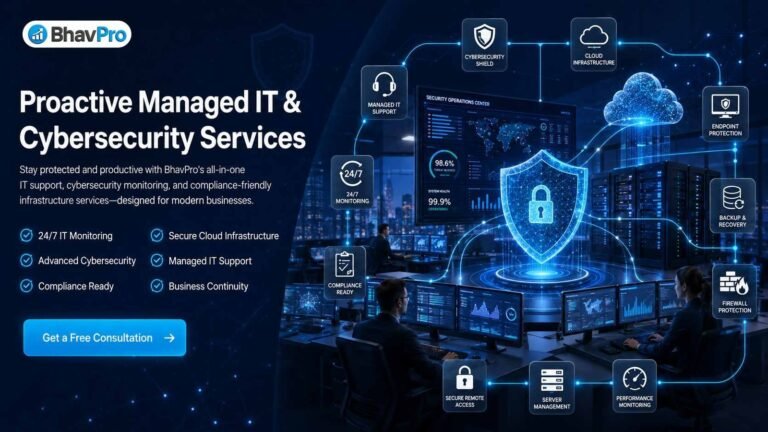
What Managed IT Services Include
BhavPro combines day-to-day IT support with practical security, administration and documentation. The exact service scope is agreed around your users, devices, Microsoft 365 environment, locations, suppliers, internal capability and business-critical systems.
User & Helpdesk Support
Resolve agreed day-to-day IT issues, triage incidents and keep requests documented through a structured support process.
Microsoft 365 & Access
Manage users, licences, permissions, identity settings and operational changes within the agreed tenant scope.
Devices, Patching & Backup
Maintain visibility of managed endpoints, software updates, backup responsibilities and security controls.
Documentation & Review
Keep key IT decisions, assets, access, suppliers and improvement priorities visible to the business.
Managed IT vs IT Support vs IT Consulting
| Requirement | Best fit | What it means |
|---|---|---|
| Ongoing user support, device administration and routine IT operations | Managed IT | Recurring operational ownership for an agreed technology scope. |
| Occasional troubleshooting or one-off fixes | Ad-hoc IT Support | Reactive assistance without taking responsibility for the wider operating model. |
| Architecture, roadmap, transformation or strategic decision support | IT Infrastructure & Cybersecurity Expertise | Strategic guidance rather than day-to-day service ownership. |
| Formal regulatory interpretation or compliance programme advice | Compliance & Regulatory Advisory | Specialist advisory work outside routine Managed IT operations. |
Fully Managed vs Co-Managed IT
External ownership of the agreed IT scope
Suitable where a business does not have enough internal IT capacity and wants BhavPro to manage routine support, administration, security hygiene, documentation and supplier coordination within a defined service boundary.
- Day-to-day support ownership
- Routine administration
- Device and access controls
- Service documentation
Extend an existing internal IT team
Suitable where internal IT remains accountable but needs additional capacity for selected services, projects, documentation, monitoring, security controls or operational cover.
- Defined shared responsibilities
- Escalation boundaries
- Project or specialist capacity
- Joint service reviews
IT Helpdesk & User Support
A clear support route for users
Managed IT should give employees a known path for reporting problems, requesting changes and understanding what happens next. BhavPro structures support around an agreed ticketing and priority model rather than relying on scattered messages.
Support remains scope-based
Not every technology issue can be resolved directly by the Managed IT provider. Some requests require software vendors, internet carriers, application developers, hardware replacement or specialist incident-response teams. BhavPro coordinates or escalates those dependencies where included.
Microsoft 365 Management
For many UK businesses, Microsoft 365 is the operational centre of email, identity, collaboration and document access. Managed IT should therefore treat the tenant as a governed business system—not just an email licence.
Accounts & Licences
Create, change and disable users according to approved requests and agreed licence responsibilities.
Authentication & MFA
Support identity settings, multi-factor authentication and access controls within the licensed environment.
Teams, SharePoint & OneDrive
Support common operational access, permissions and service issues within the agreed configuration.
Exchange Administration
Manage common mailbox, alias, distribution and access requirements subject to agreed policy.
Configuration Review
Review practical tenant settings and administrative exposure without presenting configuration as a compliance guarantee.
Documented Administration
Keep significant user, permission and administrative changes traceable to approved requests where the service supports it.
Joiner, Mover & Leaver Management
People changes are one of the most important repeatable IT processes. A defined workflow reduces missed access, unused licences, unmanaged devices and security gaps.
Prepare
Approved account, licence, groups, device and required applications.
Secure
MFA, password or sign-in process, approved access and handover information.
Change
Update role-based permissions, groups, shared resources and responsibilities.
Revoke
Disable access, revoke sessions, recover devices and remove unnecessary licences.
Transfer
Handle mailbox, files or records according to the organisation's approved retention process.
Device & Endpoint Lifecycle Management
Know which devices the business relies on
A useful Managed IT service maintains visibility of in-scope laptops, desktops and other managed endpoints so support and security decisions are based on an actual inventory.
- Assigned user or owner
- Operating system and support status
- Patch and encryption state where available
- Security-tool status
- Replacement or retirement planning
Manage the lifecycle, not just the fault
Support should cover the operational stages around a device: preparation, deployment, use, remote assistance, updates, reassignment and secure retirement where included in scope.
- New device setup
- Approved software deployment
- Remote support access
- Lost/stolen device procedure
- Secure disposal coordination
Asset Inventory & IT Documentation
Managed IT becomes fragile when knowledge exists only in someone's head
BhavPro documents the agreed operational environment so important information can survive staff changes, supplier changes and incidents. Documentation depth depends on service scope and the information made available by the client.
Patch & Vulnerability Management
Keep supported systems current
BhavPro can manage or coordinate operating-system and application patching for agreed devices and platforms. Patching is prioritised around supportability, risk, compatibility and business impact rather than assuming every update should be forced immediately.
Not every vulnerability is fixed the same way
Some issues require a patch; others require configuration changes, software replacement, compensating controls, supplier action or business acceptance. Managed IT should make those decisions visible rather than merely report a dashboard score.
Identity, Access & Multi-Factor Authentication
Identity is a primary control plane for modern business IT. BhavPro can support practical access governance within the systems and licences included in the engagement.
MFA
Support multi-factor authentication rollout and user issues where the platform supports it.
Admin Access
Reduce unnecessary standing administrative access and separate routine work from privileged tasks where practical.
Dormant Accounts
Identify unused, former or duplicate accounts that may need review or removal.
Shared Access
Reduce unmanaged shared credentials and document approved shared-resource access where possible.
Role Changes
Update access when staff responsibilities change rather than leaving historical permissions indefinitely.
Approval Trail
Use approved requests and change records for material access changes where the support process allows.
Endpoint Security
Endpoint protection is one layer, not the whole security programme
BhavPro can deploy, monitor or coordinate appropriate endpoint controls within the agreed service scope. Tool selection depends on the client's current environment, licences, risk profile and existing security stack.
- Anti-malware / endpoint protection
- EDR or enhanced detection where in scope
- Device encryption checks
- Security-agent health
- Lost-device procedures
Security alerts need an action path
A useful alert is one that can be investigated, triaged or escalated. BhavPro defines who receives security events, what evidence is available and when an incident needs specialist escalation.
- Alert ownership
- User/device context
- Containment options
- Escalation criteria
- Post-incident follow-up
Network & Infrastructure Monitoring
Monitoring can provide continuous technical visibility, but continuous monitoring is not the same as a continuously staffed human helpdesk or SOC. BhavPro defines the monitored assets, alert thresholds, notification path and response coverage in the service scope.
Cloud & Hybrid Infrastructure Support
Cloud administration
BhavPro can support agreed cloud services, user access, configuration, routine administration and supplier coordination. Cloud support is scoped by platform and workload rather than making a blanket promise to manage every AWS, Azure or Google Cloud service.
Hybrid operations
Many businesses still combine cloud identity, SaaS applications, local networking, devices, printers, telephony and legacy systems. Managed IT should document those dependencies and clarify which provider owns each part.
Backup, Restore Testing & Recovery
A backup is only useful if the right data is protected and the organisation can restore what it needs. BhavPro treats backup as a recovery process rather than a product badge.
Define
Identify data, systems and services that require protection.
Protect
Choose appropriate history and separation for the agreed service.
Secure
Protect backup administration and credentials from unnecessary exposure.
Restore
Test representative recovery scenarios where included in scope.
Improve
Update backup responsibilities as systems and business priorities change.
Business Continuity & Recovery Planning
Technology restoration
Managed IT can help identify which systems, accounts, devices, data and suppliers must be restored first after disruption.
- Recovery priorities
- Supplier contacts
- Critical account access
- Backup dependency
- Alternative working arrangements
Operational decision
Technology recovery is only one part of business continuity. The organisation remains responsible for wider operational, staffing, legal and customer-response decisions unless separately scoped.
- Business owners
- Decision authority
- Communication plan
- Manual workarounds
- Testing and review
Security Logging & Monitoring
Collect useful evidence
Where systems support it, BhavPro can help configure and review logs that matter to operational troubleshooting or security detection. More data is not automatically better; retention and visibility need a purpose.
Know when specialist monitoring is required
Full SIEM engineering, MDR or a continuously staffed SOC is a different service from normal Managed IT. Where a risk profile requires that level of monitoring, BhavPro can help scope the need and coordinate an appropriate specialist solution rather than implying every Managed IT plan includes it.
Incident Triage & Escalation
| Managed IT can typically help with | May require specialist escalation |
|---|---|
| User/device triage, access review, isolation of an affected endpoint where authorised, supplier coordination, restoring normal service from approved backups. | Digital forensics, ransomware negotiation, malware reverse engineering, legal privilege, complex breach investigation or insurer-led incident response. |
| Collecting relevant logs and service evidence available within the managed environment. | Formal forensic evidence preservation or expert-witness activity. |
| Coordinating routine recovery actions and internal communications. | Regulatory/legal notification decisions, which remain with the organisation and its qualified advisers. |
Cyber Essentials Readiness
Practical control readiness
BhavPro can help businesses implement and document technical controls that support Cyber Essentials readiness, including device inventory, secure configuration, access controls, malware protection, supported software and patching practices.
Certification remains separate
Readiness support is not the same as issuing certification. Formal Cyber Essentials certification is completed through the recognised certification process. BhavPro can help prepare the environment and evidence without presenting routine Managed IT as a certification guarantee.
Compliance-Aware IT Operations
Managed IT can help implement technical and operational controls that support an organisation's compliance responsibilities, but it does not replace legal advice, formal certification or the organisation's own accountability.
Identity Controls
Support permissions, MFA, administrative separation and leaver access removal.
Inventory
Maintain practical visibility of managed devices and systems.
Patch & Configuration
Manage agreed software updates and configuration hygiene.
Backup & Recovery
Support approved backup and restoration responsibilities.
Logs & Documentation
Retain useful operational records where configured and appropriate.
Formal Compliance
Route deeper regulatory interpretation to Compliance & Regulatory Advisory.
Remote & Hybrid Workforce Support
Support users wherever approved work happens
Remote and hybrid working increases the importance of identity, device management, connectivity, collaboration tools and clear support processes.
- Remote support access
- Managed device setup
- MFA and sign-in support
- Microsoft 365 collaboration
- Home/office connectivity triage
Keep responsibility boundaries clear
Managed IT can troubleshoot and coordinate issues, but home broadband, building networks, third-party SaaS platforms and consumer devices may remain outside direct control. Those boundaries should be defined before an incident occurs.
Vendor, Licence & Subscription Management
Technology sprawl creates cost and operational risk. Where included, BhavPro can help maintain visibility of key IT suppliers, licences and renewal responsibilities so the business knows what it is paying for and who owns each service.
Technology Selection & Existing Stack Support
Use the right technology for the existing business
BhavPro does not force every client into a single product stack. We review the systems already in place, support status, licences, administrative ownership, operational need and migration risk before recommending changes.
Specific products and platforms can be retained, improved or replaced according to the agreed Managed IT scope and the client's existing environment.
Keep suitable systems that remain secure, supportable and commercially sensible.
Correct configuration, access, monitoring or documentation gaps where possible.
Plan migration only when the risk, cost or limitation justifies a change.
| Technology area | Examples from the current BhavPro Managed IT stack | How it may be used |
|---|---|---|
| Endpoint & threat protection | Bitdefender, CrowdStrike, Sophos | Endpoint protection, threat detection and managed device security where the selected product is suitable and in scope. |
| Backup & recovery | Acronis | Backup and recovery workflows where appropriate to the client's systems, retention requirements and recovery objectives. |
| Microsoft & cloud infrastructure | Microsoft 365, Azure, JumpCloud, Cisco Meraki | Identity, collaboration, cloud, network and device-management requirements depending on the existing environment. |
| Logging & security monitoring | Elastic, Wazuh, Graylog | Centralised logging and monitoring where the risk profile and service design justify it. |
| Retention & eDiscovery | Google Workspace Vault | Retention, legal hold and eDiscovery use cases where Google Workspace is in scope. Vault is not presented as a substitute for a dedicated backup and recovery design. |
Security Awareness & User Controls
Technology controls need user behaviour
BhavPro can support practical IT-security communication around password hygiene, MFA, suspicious messages, device handling and reporting routes where included in the service.
Training is not a compliance guarantee
Formal security-awareness programmes, phishing simulations or regulated training evidence should be scoped explicitly if required. Managed IT should not claim that a generic awareness email makes an organisation compliant. Where the requirement is structured staff capability development or practical systems training, use technical training services.
Service Hours, Priorities & SLA Principles
| Service principle | How BhavPro handles it |
|---|---|
| Service hours | Defined in the agreed plan rather than assuming all human support is available 24/7. |
| Priority | Based on business impact, number of affected users, security risk and availability of workarounds. |
| Response target | Documented in the engagement where an SLA or response target is included. |
| Resolution | Depends on diagnosis, third-party dependencies, hardware, supplier response and required change approval. |
| Escalation | Critical or specialist incidents are routed according to the defined escalation path. |
24/7 Monitoring vs 24/7 Human Support
Systems can be monitored continuously
Automated tools can check availability, security agents, backup jobs or other agreed conditions outside normal business hours. Alert generation alone does not mean a person is continuously watching every event.
Support hours must be contracted explicitly
Human helpdesk, on-call response, MDR or SOC coverage is only included where the agreed service specifically provides it. This distinction prevents customers from assuming a level of coverage that has not been purchased.
Reporting & Service Review
A Managed IT service should make technology easier to understand, not produce dashboards without decisions. BhavPro reports operational information relevant to the agreed scope and uses reviews to identify the next priority.
IT Roadmap & Lifecycle Planning
Managed IT should reduce surprise
BhavPro maintains a practical roadmap for known technology issues that cannot or should not be solved immediately. This can include end-of-support software, ageing devices, licence changes, network improvements, backup gaps, identity controls, supplier changes and larger migration projects.
What We Measure in Managed IT
What BhavPro Can and Cannot Control
Defined operational controls
Every external or security outcome
What You Receive From a Managed IT Engagement
Helpdesk Route
A defined channel for users to report incidents and requests.
Microsoft 365 Management
Agreed user, licence, access and collaboration administration.
Managed Endpoint Scope
Inventory, support, patching and security controls for agreed devices.
Operational Controls
Practical identity, endpoint, backup and monitoring measures within scope.
Environment Records
Key systems, suppliers, assets, access responsibilities and operating notes.
Service Reviews
Outstanding risks, recurring issues, changes and improvement priorities.
Technology Roadmap
Known supportability, replacement or migration needs.
Supplier Coordination
Structured escalation to vendors and specialist providers where included.
Ownership Clarity
Clear client/provider responsibility boundaries and access arrangements.
BhavPro Managed IT Onboarding Process
Onboarding is designed to establish control before routine support begins. The exact sequence depends on the size and maturity of the existing environment.
Discover
Identify users, locations, business-critical systems, suppliers, existing support arrangements and immediate risks.
Inventory
Build or validate the in-scope device, account, service and supplier inventory.
Access
Establish approved administrative access, client ownership and secure credential-handling arrangements.
Baseline
Review patching, backup, identity, endpoint protection, Microsoft 365 and obvious operational gaps.
Activate
Enable the agreed helpdesk, monitoring, administration and escalation processes.
Review
Confirm the first improvement plan, unresolved risks, service boundaries and reporting cadence.
Managed IT Engagement Models
| Engagement | Best suited to | Typical focus |
|---|---|---|
| Fully Managed IT | Businesses without sufficient internal IT resource | Day-to-day support, administration, devices, security hygiene and service governance. |
| Co-Managed IT | Businesses with an internal IT lead or small IT team | Additional capacity, selected operational areas, projects or specialist support. |
| IT Improvement Project | Businesses with a defined technology issue | Microsoft 365, identity, device management, backup, migration or security-control improvement. |
| IT Health Review | Businesses unsure where to start | Current-state review, risks, ownership gaps and prioritised recommendations. |
Where a packaged support model is more useful, the following coverage levels can be used as a starting point. Final inclusions, service hours, response targets and technology responsibilities are defined in the proposal rather than assumed from the package name.
Essentials Package
Designed for smaller businesses that need a managed baseline for monitoring, endpoint protection, patching, business-hours support and regular service reporting.
Advanced Security Package
For growing teams needing broader monitoring, endpoint controls, ticketing, backup responsibilities, phone/email support and periodic security reviews. Human support hours and response targets are agreed explicitly.
Enterprise Suite
For larger or more complex environments requiring dedicated service coordination, broader infrastructure coverage, advanced monitoring, multi-cloud support and tailored security policies.
Who Managed IT Services Are For
BhavPro Managed IT is designed for organisations that need clearer day-to-day technology ownership without building a large internal IT function.
Small Businesses Without Internal IT Staff
Get structured IT administration and support without the overhead of building a full internal IT department.
Remote & Hybrid Teams
Support managed devices, Microsoft 365, identity and secure access for distributed users working across approved locations.
Compliance-Sensitive Organisations
Improve the technical controls, documentation and operational discipline that support regulatory or contractual requirements, without treating Managed IT as a compliance guarantee.
Growing Teams
Companies adding staff, devices, software and suppliers faster than existing processes can manage.
Professional Services
Businesses where reliable email, documents, access and client communication are operationally important.
SaaS & Technology Firms
Teams that need internal IT operations separated from their product-engineering responsibilities.
Multi-Site Businesses
Organisations coordinating devices, users, suppliers and connectivity across more than one location.
Co-Managed Environments
Internal IT teams needing additional operating capacity or project support.
Which BhavPro IT & Security Service Fits Your Requirement?
| Primary need | Recommended BhavPro route |
|---|---|
| Ongoing helpdesk, Microsoft 365, device and operational IT management | Managed IT Services |
| Strategic infrastructure, cybersecurity architecture or capability guidance | IT Infrastructure & Cybersecurity Strategy |
| Formal regulatory/compliance advisory | Compliance & Regulatory Advisory |
| Website hosting, backups, updates and website maintenance | Website Maintenance & Hosting |
| Business process or AI workflow automation | AI Workflow Automation |
| Broader BhavPro capability and service selection | Business Technology Services |
Related IT & Cybersecurity Expertise
IT Infrastructure & Cybersecurity Strategy
Use BhavPro's IT & Cybersecurity Expertise hub for broader architecture, resilience, security-governance and strategic technology guidance. Managed IT remains the commercial page for day-to-day operational service delivery.
For formal readiness, policy and regulatory advisory beyond routine IT operations.
Explore Compliance Advisory →
For WordPress and website-specific hosting, updates and maintenance.
Explore Website Maintenance →
Related BhavPro Services
Compliance & Risk Advisory
For formal compliance readiness, risk interpretation, policy and regulatory advisory beyond routine managed IT operations.
Website Maintenance & Hosting
For website-specific hosting, backups, updates, maintenance and operational support outside the wider managed IT scope.
Digital Transformation Consulting
For broader technology change, operating-model improvement and transformation planning across business systems and teams.
Technical Training Services
For structured technical skills development, systems training and practical capability building for users and teams.
API Integration Services
For connecting approved business platforms, APIs, webhooks and operational systems through controlled data exchange.
Frequently Asked Questions
Practical answers about Managed IT, Microsoft 365, helpdesk support, security, onboarding, monitoring, backups and service responsibilities.
What are managed IT services?
Managed IT services provide ongoing operational support for an agreed technology scope. BhavPro can manage user support, Microsoft 365 administration, devices, access, patching, backups, monitoring, documentation and supplier coordination according to the service plan.
What is the difference between managed IT and outsourced IT support?
The terms often overlap. Outsourced IT support may describe external helpdesk assistance, while Managed IT usually implies broader recurring responsibility for administration, security hygiene, devices, monitoring, documentation and service reviews. BhavPro defines the actual responsibilities in the engagement rather than relying on the label alone.
Can BhavPro manage Microsoft 365?
Yes, where included in scope. Typical work can include users, licences, Exchange administration, Teams, SharePoint, OneDrive, access issues, MFA and common tenant administration. Advanced security capabilities depend on the Microsoft licences and configuration available to the client.
Do you support remote and hybrid teams?
Yes. Managed IT can cover approved remote users and managed devices, Microsoft 365, identity, remote support and connectivity triage. Home broadband, consumer equipment and third-party services may remain outside direct control, so those boundaries are documented.
Does Managed IT include 24/7 support?
Not automatically. Monitoring tools can operate continuously, but human helpdesk or on-call coverage is only included when the agreed plan specifically provides it. BhavPro defines service hours, response targets and escalation arrangements in the service scope.
Does BhavPro operate a 24/7 security operations centre?
Managed IT should not be confused with a dedicated SOC or MDR service. Where a business needs continuously staffed threat monitoring or specialist incident response, BhavPro can help scope and coordinate the appropriate specialist capability rather than representing normal Managed IT as a full SOC service.
Can BhavPro help with Cyber Essentials?
BhavPro can help improve the technical environment and documentation that support Cyber Essentials readiness, such as device inventory, access controls, secure configuration, supported software, malware protection and patching. Formal certification is completed through the recognised Cyber Essentials certification process.
Does Managed IT make our business GDPR compliant?
No. Managed IT can support technical controls, access management, backup, documentation and security hygiene, but legal compliance remains the organisation's responsibility and may require qualified legal or compliance advice. BhavPro can route deeper work to its Compliance & Regulatory Advisory service.
How do backups work in a Managed IT service?
Backup scope depends on the systems being protected. A useful service defines what is backed up, retention, administrative access, monitoring, restore responsibilities and testing. BhavPro does not treat retention or eDiscovery tools as substitutes for a proper recovery design.
How quickly can Managed IT onboarding start?
There is no universal onboarding duration. Timing depends on user count, device inventory, access to current systems, supplier cooperation, existing documentation, migrations and security issues. BhavPro starts by identifying the current environment and prioritising any immediate operational or security risks.
Can BhavPro work alongside our internal IT team?
Yes. A co-managed model can give an internal IT lead or team additional support capacity for selected services, projects, device management, documentation, security controls or operational cover while preserving clear internal ownership.
Who owns our accounts, licences and systems?
Where practical, client business accounts, licences, domains and core administrative ownership should remain under the client's control. BhavPro receives the permissions required to deliver the agreed service and documents responsibility and handover arrangements so the business is not unnecessarily dependent on the provider.
Request a Managed IT Health Review
If your IT environment has grown through ad-hoc fixes, multiple suppliers, unmanaged devices or unclear responsibilities, BhavPro can review the current state and identify the highest-priority support, Microsoft 365, access, device, backup, monitoring and documentation improvements before recommending an ongoing service model.