
CRM Implementation Services For UK Businesses
BhavPro helps UK businesses implement CRM systems around real sales, service and account workflows, so teams can manage leads, customers, communication, dashboards and follow-up with more consistency.
30–90 Days | ROI Execution Roadmap
ROI-Led | Prioritised Deliverables
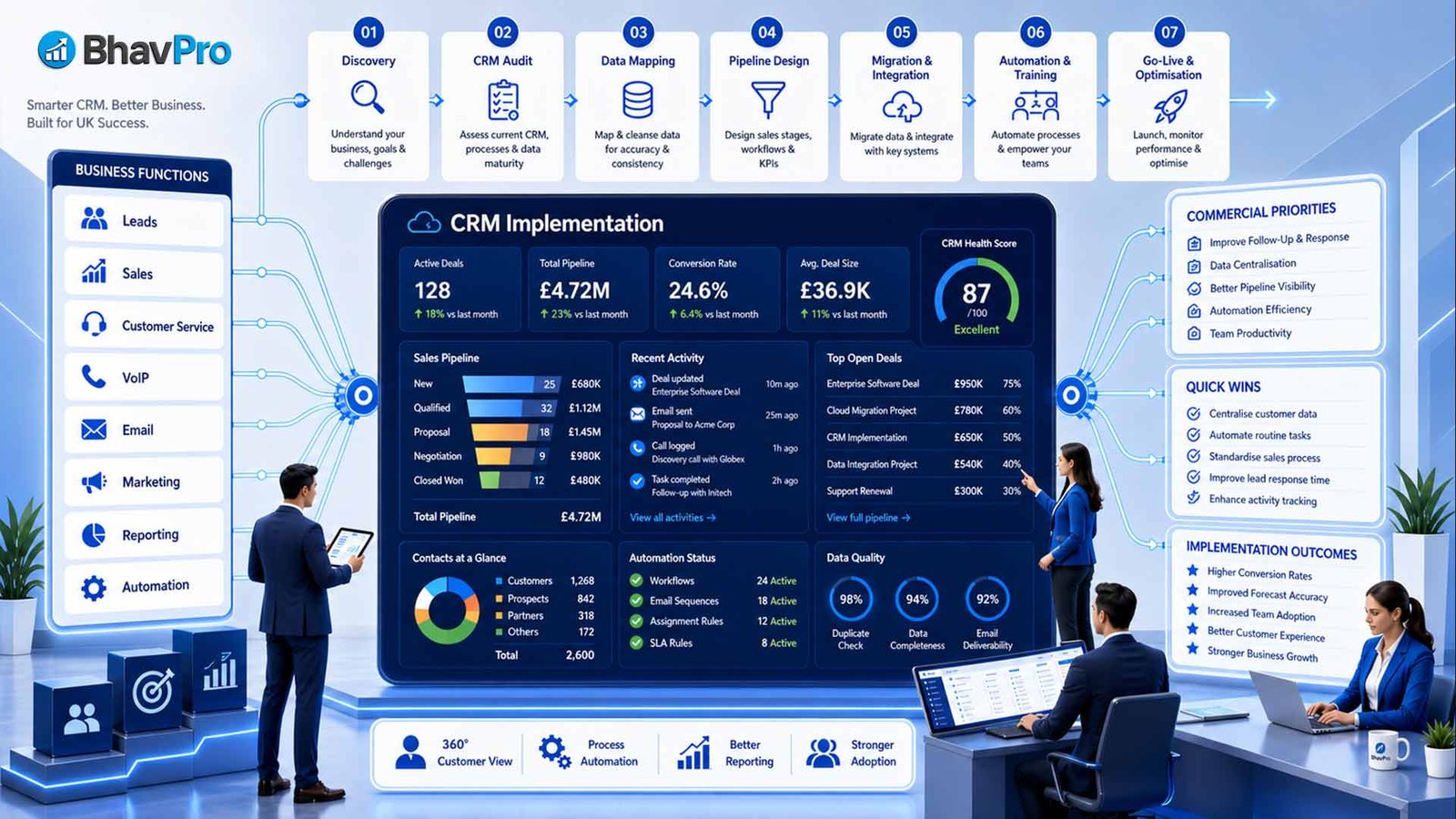
Fast Answer: CRM implementation is not just software setup. It is the process of configuring your customer records, sales pipeline, lead capture, automations, dashboards, integrations, migration, training and go-live support so your team can use CRM as a reliable operating system.
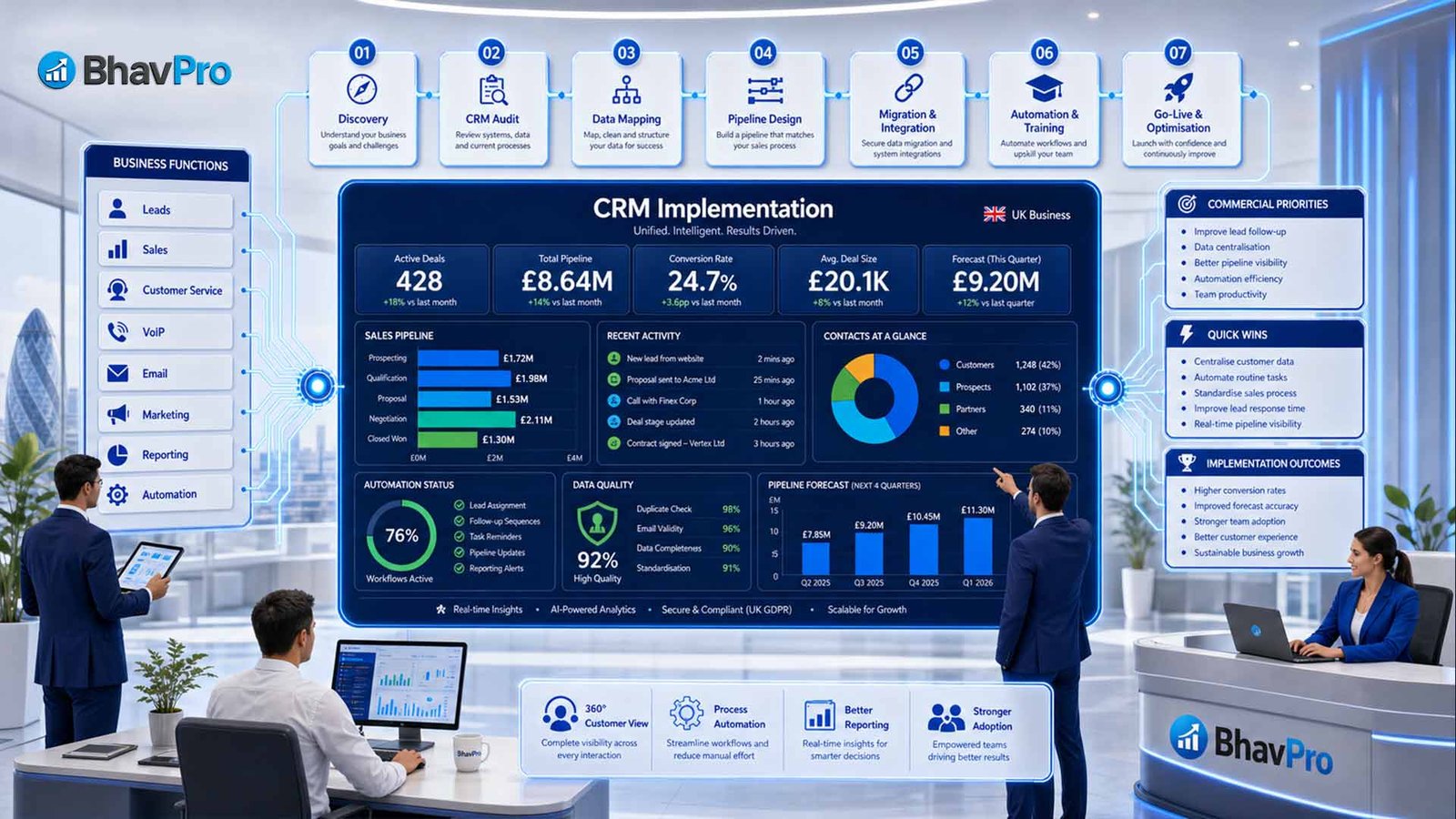
What This Implementation Connects
- Accounts, contacts, leads, opportunities, activities and follow-up tasks
- Website forms, VoIP, email, SMS, dashboards and reporting workflows
- Migration, testing, training, adoption and post-launch optimisation
CRM Implementation vs CRM Consulting
BhavPro already supports broader CRM consulting. This page is specifically for businesses ready to configure, migrate, rebuild or launch CRM properly.
Start With CRM Consulting If
- You are still deciding which CRM platform or strategy is right
- You need workflow advice before choosing software
- You need a high-level CRM roadmap or platform recommendation
- Your leadership team has not agreed the future sales or service process
Use CRM Implementation Services If
- You need CRM configured, migrated, rebuilt or launched
- You already know the CRM must support real daily workflows
- Your team needs fields, pipelines, automations, dashboards and training
- You want go-live support and a practical improvement route after launch
This Page Is For Delivery, Setup And Launch
If you are still exploring CRM strategy, start with CRM Consulting. If you need a CRM configured, migrated, rebuilt or launched, this implementation service is the better fit.
When CRM Starts Slowing The Business Down
Many businesses already have CRM software, but the system does not reflect how the business actually sells, serves and manages customers.
Common CRM Problems
- Leads are entered inconsistently or not followed up
- Contacts and accounts are duplicated across spreadsheets, inboxes and CRM
- Pipeline stages do not match the real sales process
- Task ownership and follow-up accountability are unclear
- VoIP calls, emails, WhatsApp messages or SMS updates sit outside the CRM
- Management cannot trust the numbers in dashboards
- Old data has been migrated without cleaning or mapping
- Automations trigger at the wrong time, or not at all
What CRM Implementation Should Fix
- Cleaner account, contact, lead and opportunity structure
- Pipeline stages that match your real buying journey
- Lead capture and source tracking from website, call and campaign channels
- Practical automations that reduce repeated admin
- Dashboards leadership can actually trust
- Migration that keeps useful data and avoids clutter
- Training, go-live support and adoption after launch
Eight High-Value Areas Of CRM Implementation
The implementation should turn CRM from a contact database into a working customer operating system for sales, service, reporting and growth.
CRM Structure And Data Model
Configure accounts, contacts, leads, fields, statuses, source tracking, user roles, access and naming rules.
Sales Pipeline And Opportunity Flow
Build stages, qualification, proposal flow, lost reasons, renewals, handoffs, forecasting and conversion tracking.
Lead Capture And Source Tracking
Connect website forms, campaign sources, call enquiries, ownership rules, acknowledgements and first-response tasks.
CRM Automation And Tasks
Configure assignment rules, reminders, stage-based tasks, renewal alerts, internal notifications and approval triggers.
Dashboards And Reporting
Create dashboards for lead volume, source quality, stuck deals, response speed, account health and pipeline value.
CRM Integrations
Connect CRM with website forms, VoIP, email, CRM SMS integration, WhatsApp, booking tools, helpdesk, invoicing or reporting tools. Where native connectors cannot support the required workflow, BhavPro can provide API integration services for custom data exchange, webhooks and multi-system connectivity.
Data Migration And Cleanup
Review source data, detect duplicates, map fields, test imports, migrate useful records and validate the new CRM.
Training, Handover And Adoption
Support users with workflow documentation, admin handover, role-based training, field guidance and post-launch improvement planning.
CRM Solutions for Your Unique Industry
Implementation only works when it respects your industry's specific data flow. We customize your setup based on your business category.
Real Estate: Lead-to-Key Flow
We build property-specific workflows to manage the high-touch, long-cycle nature of real estate sales.
- Automated Lead Routing: Instant assignment from portals (Zillow, Rightmove, MLS).
- Property Matching: Automated alerts when listings match client budgets.
- Long-Term Nurture: Multi-month drip sequences to stay top-of-mind.
- Contract Sync: DocuSign & Signable integrations for seamless closings.
SaaS: Subscription Lifecycle
We configure CRMs to manage recurring revenue, churn risks, and trial-to-paid conversion metrics.
- Revenue Dashboards: Visualize MRR and ARR growth in real-time.
- Churn Prediction: Alerts triggered by low login or feature usage frequency.
- Trial Management: Scoring systems to identify high-intent trial users.
- Expansion Triggers: Notifications for upsells when usage limits are hit.
Need a different industry? We have implemented systems for Professional Services, eCommerce, and Manufacturing. Contact us for a custom sector brief.
Quick Comparison: CRM Implementation Options For UK Businesses
This comparison table highlights the differences between CRM implementation, consulting, development, subscriptions, and health checks to help UK businesses select the right service for their sales and service workflows.
| Option | Typical Focus | Commercial Output | Limitations | Best Fit |
|---|---|---|---|---|
| CRM Implementation Services | Setup, migration, pipelines, fields, dashboards, automations, integrations, training and go-live | Configured CRM: Supports daily sales, service and reporting workflows | Requires access to current process, data and team requirements | Businesses ready to build or rebuild CRM properly |
| CRM Consulting | Advice, platform selection, workflow review and CRM strategy | Detailed CRM Recommendation or Roadmap | Build Excluded: Configuration or go-live support often sits outside scope | Businesses still deciding what CRM route to take |
| CRM Development | Custom modules, bespoke features, APIs and technical CRM extensions | Custom functionality or deeper system integration | High technical overhead if standard setup is not fixed first | Businesses needing custom CRM logic beyond normal setup |
| CRM Software Subscription | Access to CRM platform features | Software licence | No Strategy: Does not design workflows, reports or adoption | Teams with internal CRM expertise |
| CRM Health Check | Review of existing CRM problems, data quality and workflow gaps | Actionable findings and improvement priorities | Pre-implementation phase only; does not include build | Businesses with a CRM that is live but not trusted |
Questions This CRM Implementation Page Answers
The page is built for buyers who need a practical CRM setup, migration, rebuild or go-live plan rather than a generic software overview.
Implementation Questions
- What is included in CRM implementation?
- Is CRM implementation different from CRM consulting?
- Do we need CRM setup, CRM migration or CRM development?
- How should CRM stages match our sales process?
- What should be automated and what should stay human-led?
Operational Questions
- Can CRM connect with VoIP, email, SMS and website forms?
- How do we clean old CRM or spreadsheet data?
- What dashboards should leadership actually use?
- How do we get staff to use CRM properly?
- What is the right first step before a full CRM build?
CRM Implementation Packages
Final pricing depends on the CRM platform, users, data volume, workflow complexity, integrations, testing and training requirements.
CRM Implementation Review
For businesses needing clarity before CRM setup, migration or rebuild.
- Current CRM or spreadsheet review
- Sales and service workflow review
- Data, field and platform fit review
- Implementation priorities and roadmap
CRM Setup Sprint
For small teams needing clean CRM structure and practical go-live support.
- Lead, contact and pipeline setup
- Essential fields, views and dashboards
- Simple automations and handover
- Basic go-live support
CRM 360 Implementation
For growing businesses needing a complete CRM operating model.
- Account, contact and lead architecture
- Sales pipeline and opportunity workflow
- Automation rules and dashboard reporting
- Website, email, VoIP and SMS workflow planning
CRM Migration Or Rebuild
For businesses replacing old CRM, cleaning messy data or rebuilding a broken setup.
- Data audit and field mapping
- Duplicate handling and migration testing
- Pipeline redesign and dashboard rebuild
- Go-live support and validation
CRM Admin And Optimisation
For businesses needing ongoing CRM support and improvement after launch.
- CRM admin support and report changes
- Workflow adjustments and user support
- Monthly optimisation and data checks
- New field, dashboard or automation requests
How BhavPro Runs CRM Implementation
The process is designed to reduce implementation risk by clarifying the workflow, configuring the CRM carefully, testing it properly and supporting adoption after launch.
Discovery And Workflow Mapping
Review current sales process, customer journey, existing CRM or spreadsheets, pain points, tools, reporting needs, lead sources and communication workflows.
CRM Architecture And Scope
Define objects, fields, pipelines, lifecycle stages, views, permissions, automations, dashboards, integrations and training requirements.
Build And Configuration
Configure users, fields, layouts, pipelines, forms, automations, templates, reports, dashboards, integration settings and test records.
Data Migration And Validation
Prepare, clean and test data through field mapping, sample imports, duplicate checks, record-owner mapping and post-migration review.
Testing And User Acceptance
Test lead capture, pipeline movement, permissions, automation triggers, dashboards, integrations, notification rules and handoff points.
Training, Go-Live And Hypercare
Support user training, admin handover, workflow documentation, go-live checks, issue review and the first post-launch improvement backlog.
CRM Adoption And Hypercare After Go-Live
A CRM implementation is only successful when the team uses it confidently and leadership can rely on the data after launch.
Role-Based Training
Users need to understand what to enter, when to update records, which fields matter and how dashboards are used.
- Sales user training
- Admin handover
- Field usage guide
Launch Checklist
Before go-live, BhavPro checks the workflows, dashboards, permissions, migration outputs, integrations and ownership rules.
- Pre-live testing
- Issue log review
- Go-live support
30-Day Improvement List
After launch, the first few weeks usually reveal useful refinements. These should be captured and prioritised properly.
- Adoption risks
- Report changes
- Optimisation backlog
What We Need From You
You do not need everything ready before speaking to BhavPro. The review can help identify missing information, but these items make implementation scoping clearer.
Current CRM And Data
- Current CRM access or screenshots
- Spreadsheet samples if you do not yet use CRM
- Contact, account and lead fields currently used
- Example deals, enquiries or support cases
- Known data quality problems or duplicate issues
Workflow And Integration Needs
- Current sales pipeline stages
- Lead-source and website form examples
- Reporting examples leadership currently uses
- Current team complaints or workflow problems
- VoIP, email, SMS, website or other integration requirements
When CRM Implementation Is Not The Right First Step
Implementation should not be rushed if the business process, ownership or data requirements are not clear enough yet. Clear boundaries protect your time and budget.
This implementation may not be the right first step if:
- You have not agreed what your sales or customer process should be.
- You only want a software recommendation rather than configuration and launch.
- Your team is not ready to share workflow or system data information.
- You want advanced custom development before the CRM basics are fixed.
- You expect automation to fix poor process design.
- You need emergency CRM repair rather than a planned implementation.
- You have not decided who will own the CRM internally after launch.
In these situations, a CRM Implementation Review or an AI Business Systems Audit may be a safer starting point before a full build.
CRM Platforms BhavPro Can Support
BhavPro can help plan, configure or integrate CRM workflows across different platforms depending on workflow fit, team size, budget, data quality and integrations.
What Makes BhavPro’s CRM Implementation Different
- CRM is treated as a customer operating system, not a contact list
- Sales, service, delivery, communication and reporting are considered together
- AI and automation are added carefully where the workflow and data are ready
- VoIP, email, SMS, WhatsApp and website form workflows can be considered
- Dashboards are built into the setup rather than left as an afterthought
Need More Than CRM Implementation?
CRM implementation is the right route when the primary requirement is to configure, migrate, integrate or improve a CRM platform. If the requirement expands into customer portals, billing, ticketing, SaaS, partner environments or a broader operational platform, BhavPro can design and build the wider business application.
BhavPro's AI Apps & Custom Business Software capability covers connected applications where CRM becomes one part of a broader platform rather than the complete solution.
Explore Business Application DevelopmentExecutive Insight
- CRM implementation should follow workflow clarity. Fields, pipelines, dashboards and automations only work when the business process is clear first.
- Migration should be selective. Not every old field, spreadsheet column or legacy record should be carried into the new CRM.
- Adoption is part of implementation. A CRM that users avoid is not implemented properly, even if the software is technically configured.
Highly Recommend This AI Audit for UK Companies
See more reviews on our [Google Business Profile], or leave your own experience!
Bhav was friendly, polite and professional. He listened to what we wanted and advised accordingly.We used BhavPro for a Windows 10 Pro to Windows 11 Pro upgrade and secure data migration for our business. Bhav handled the entire process smoothly, with minimal downtime.Our software setup and all client data were fully preserved, and everything worked exactly as before with no disruption to daily operations. Communication was clear and professional throughout, and the work was completed on time. Highly recommend BhavPro for IT support, system upgrades, and secure data handling.
We reached out to BhavPro because we were struggling to figure out the best VoIP setup for our business. They took the time to listen, explained the options in plain English, and recommended a provider that actually fit what we needed (and our budget). The whole process was straightforward, and switching over was way easier than we expected. Call quality is miles better now, and we’ve already saved money compared to our old system. What impressed us most was how BhavPro focused on finding the right solution rather than just selling something. If you’re considering VoIP or telecom consulting, we’d definitely recommend their advice and support. — SR Property Services
Working with BhavPro has honestly been a game changer for us. They didn’t just design a good-looking website — they made sure it was properly SEO-optimized and built to bring in real results. Not long after launching, we started noticing a huge jump in inquiries, and over time it’s grown to nearly 50 times more than before. That consistency has given us the confidence to open another site, which we never thought possible this soon. What we liked most was that BhavPro combined the technical side with genuine business advice. It felt like they cared about our growth as much as we did. We’d happily recommend them to anyone looking for a website that actually delivers and real SEO results. — Almari Designs Ltd
Frequently Asked Questions
Practical answers for decision-makers considering CRM setup, migration, rebuild, automation or optimisation.
What is included in CRM implementation?
CRM implementation can include CRM structure, fields, pipelines, views, automations, data migration, dashboards, integrations, testing, training, go-live and support. The exact scope depends on your business process and platform.
Is CRM implementation different from CRM consulting?
Yes. CRM consulting usually focuses on advice, platform selection or strategy. CRM implementation focuses on configuring, migrating, testing and launching the CRM so the team can use it properly.
Can BhavPro migrate data from spreadsheets or another CRM?
Yes. BhavPro can support data review, field mapping, spreadsheet cleanup, sample imports and migration validation. The goal is to move useful data, not simply import old clutter into a new system.
Can CRM connect with VoIP, email, SMS and website forms?
Yes, depending on the tools involved. CRM can often connect with website forms, VoIP systems, email platforms, SMS tools, booking systems, automation tools and dashboards. The implementation should define which integrations are necessary and which should wait.
Do we need to choose a CRM before speaking to BhavPro?
No. If you have not chosen a CRM yet, BhavPro can help review your workflow and recommend a suitable route. If you already use a CRM, BhavPro can review whether to optimise, rebuild or migrate.
How long does CRM implementation take?
A simple CRM setup may take a few weeks. A more complete CRM 360 implementation, migration or integration project may take longer depending on data quality, users, workflows, integrations and testing requirements.
Can BhavPro support CRM after launch?
Yes. BhavPro can provide CRM admin support, dashboard updates, workflow improvements, user support and ongoing optimisation after go-live.
Can AI be added to CRM workflows?
Yes, where useful. AI can support follow-up prompts, lead scoring ideas, call summaries, customer summaries, task suggestions, chatbot handoff or reporting insight. It should be added only where the workflow and data are ready.
Ready To Build A CRM Your Team Can Actually Use?
Book A CRM Implementation Review
If your current CRM is messy, unreliable or disconnected from daily work, BhavPro can help you implement a cleaner system around real sales, service and customer workflows.