

Microsoft Teams Phone UK: Licensing, Calling Options & Business Setup
Assess whether Teams should handle your business calls: compare licensing, PSTN connectivity models, number migration, reception workflows, devices and total costs before implementation.
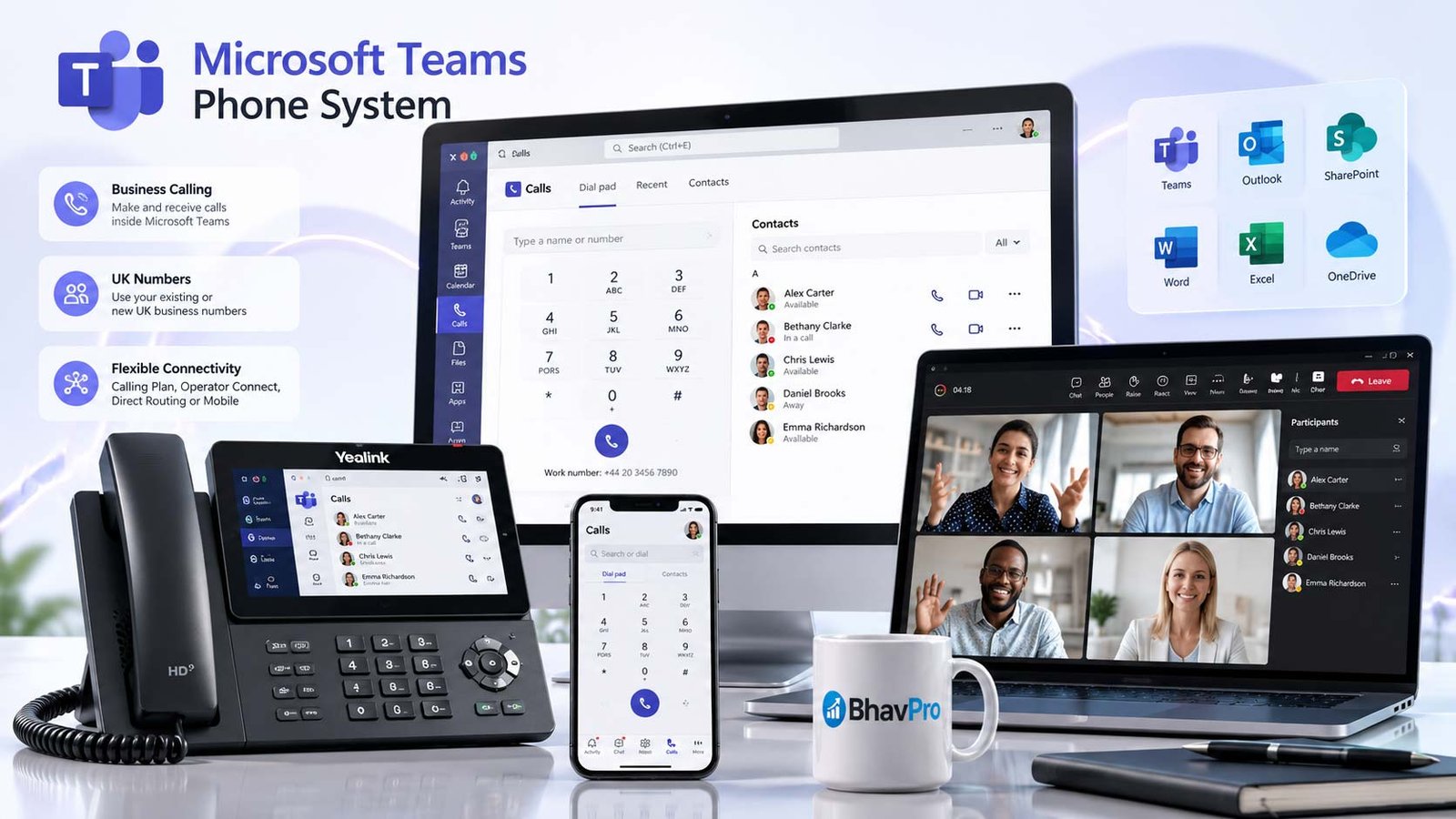
Fast answer: Microsoft Teams Phone can provide a business calling solution when users have suitable Microsoft licensing and the organisation has configured PSTN connectivity, telephone numbers, routing and operating support. Microsoft Teams messaging and meetings alone do not provide a complete external telephony service.
Can Microsoft Teams Replace a Business Phone System?
Yes—when the calling needs fit Teams Phone and external telephone connectivity has been correctly configured. Teams Phone adds cloud-based call-control features to Microsoft Teams. That can include business telephone numbers, transfers, voicemail, reception routing, auto attendants and call queues. Teams messaging and meetings alone do not mean a tenant is ready to dial UK landline or mobile numbers.
The business decision is not whether staff like the Teams interface. It is whether Teams can meet the whole inbound and outbound calling requirement: number ownership, reception availability, shared devices, reporting, complex integrations, emergency calling and a clear support arrangement.
Usually Worth Evaluating
Microsoft 365-centred teams that want calls, meetings and collaboration in a common interface, subject to licence and connectivity fit.
Investigate Alternatives Carefully
Specialist contact centres, complex legacy PBX integration, niche analogue devices or operations needing capabilities not demonstrated in the proposed Teams deployment.
Compare it with the broader options in the business phone systems selection guide and the operational dependencies explained in the cloud phone systems guide.
The Four Things You Must Buy or Configure
To use Teams Phone for UK business calls, verify four layers: eligible Microsoft/Teams licensing, Teams Phone entitlements, a compatible PSTN connectivity arrangement, and telephone numbers with tested call routing. Teams calling should be assessed as four connected layers, not a single monthly licence. A procurement proposal that omits any one of them can look inexpensive but leave staff unable to receive external calls on day one.
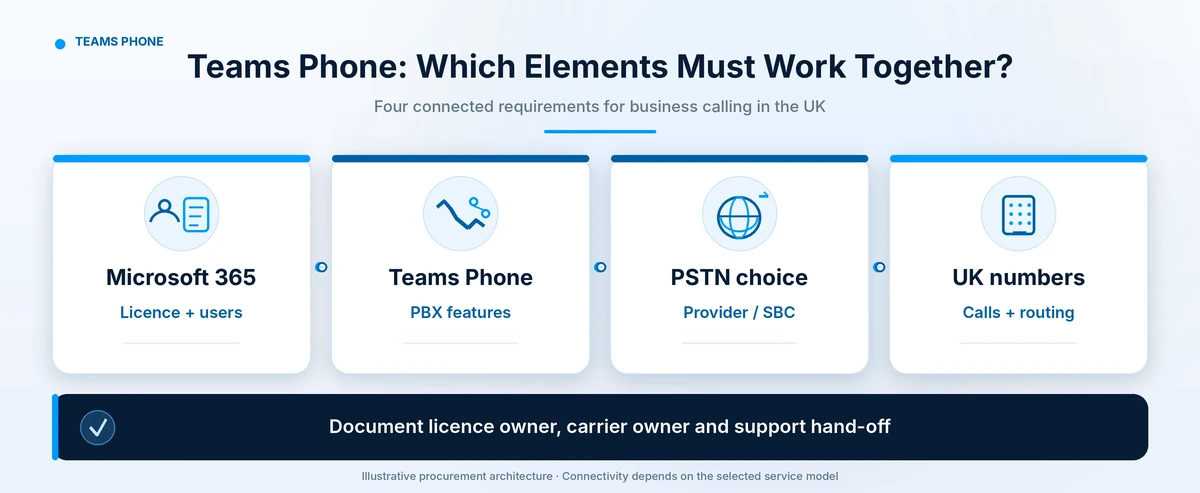
| Layer | Buyer must confirm | Typical owner |
|---|---|---|
| Eligible Microsoft/Teams licence | Whether each employee already has the required prerequisite and Phone System rights. | Microsoft 365 administrator |
| Teams Phone entitlement | Which users, shared devices and resource accounts require which licences. | Licensing administrator |
| PSTN connectivity | Calling Plan, Operator Connect, Teams Phone Mobile or Direct Routing; availability and contract. | Microsoft, certified operator or Direct Routing provider |
| Numbers and routing | Which numbers will be supplied/ported and how business hours, queues and voicemail behave. | PSTN supplier and Teams administrator |
Important: A Teams Phone licence does not automatically supply public telephone numbers or external call minutes. Microsoft documents PSTN connectivity and number acquisition as separate requirements. Also check user licences, Teams Shared Device licences and Teams Phone Resource Account licences separately: the requirements depend on whether the account represents an employee, a shared telephone or a voice application such as an auto attendant or call queue.
| Decision to validate | Evidence the buyer should hold |
|---|---|
| User eligibility | Tenant-level licence export and confirmation of Teams and Phone System rights for each calling persona. |
| PSTN route | Named Microsoft or carrier arrangement, country availability, included calling destinations and escalation contact. |
| Reception workflows | Approved test calls covering opening hours, queue overflow, shared devices and out-of-hours routes. |
| Numbers and emergency calling | Written number inventory, port eligibility, location-management process and provider-specific testing method. |
| Failure ownership | Named contacts for Microsoft tenant, PSTN provider, local network and any SBC; agreed incident hand-off. |
Buyer output: a one-page evidence register with a named owner and verified/unknown status for each item. Do not approve the proposed calling model while a critical item remains unverified.
Calling Plans vs Operator Connect vs Direct Routing vs Teams Phone Mobile
Which Teams Phone calling model should you choose? Microsoft Calling Plans suit organisations wanting Microsoft-provided PSTN service in supported markets; Operator Connect uses a participating carrier; Direct Routing allows supported SBC-based carrier integration; and Teams Phone Mobile links eligible operator mobile numbers to Teams. The correct option depends on your numbers, workflows, country availability and support model.
The most consequential design decision is how calls reach the public telephone network (PSTN). There is no universal winner; different models allocate routing, billing and incident ownership differently.
| Model | Good starting point | What to challenge before signing |
|---|---|---|
| Microsoft Calling Plan | Straightforward Microsoft-managed PSTN calling in supported locations. | Call allowances, destinations, number availability, contractual terms and licensing. |
| Operator Connect | Business wants a participating carrier to provide PSTN service. | Carrier availability, existing number portability, fault hand-off and support SLA. |
| Direct Routing | Complex routing, existing telephony investment or specialised SBC integrations. | Certified SBC, hosting, security, maintenance, carrier and split fault ownership. |
| Teams Phone Mobile | Supported mobile-first users wanting a participating operator SIM number linked to Teams. | Operator availability, device behaviour and voice-application number limitations. |
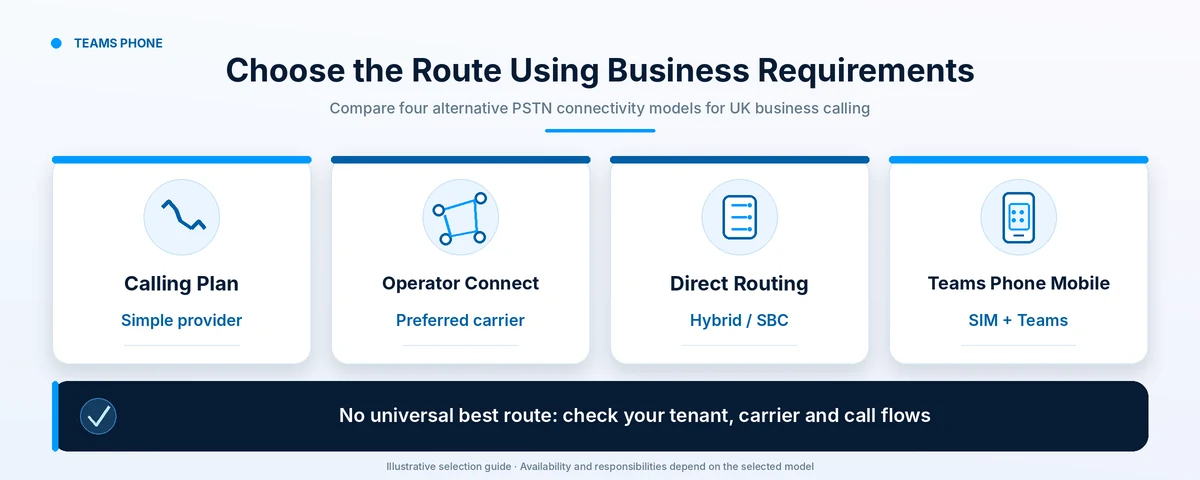
Microsoft supports combining connectivity options within a single tenant, which can help with phased deployments. Teams Phone Mobile uses participating operator mobile numbers for users; Microsoft says it does not support voice-application numbers for auto attendants or call queues. Confirm reception and shared-service number requirements using a suitable connectivity option.
Microsoft Teams Phone UK Licence Selection
Which Teams Phone licence do you need? First confirm your existing Teams and Microsoft 365 entitlements. If Phone System is not already included, choose either Teams Phone Standard with a separately contracted PSTN route or a supported Teams Phone bundle with a Microsoft Calling Plan. Reception/shared devices and auto-attendant resource accounts follow different licensing rules.
Start With Your Existing Microsoft 365 Entitlement
Check the actual licence assignment in the Microsoft 365 admin centre. Some E5 entitlements include Phone System, while many other eligible Microsoft 365 and Teams licences need a Teams Phone add-on. Do not buy Teams Phone Standard again when the same user already has the required Phone System entitlement. External public calling still requires the right PSTN arrangement.
| Teams Phone Option | UK Published Price | Licence Selection Guidance |
|---|---|---|
| Teams Phone Standard | £7.70 per user/month | Phone System add-on without bundled external calling; add Operator Connect, Direct Routing or another supported PSTN service separately. |
| Teams Phone With Pay-As-You-Go Calling | £9.20 per user/month | Bundled Phone System with Microsoft PSTN number and metered outbound usage; call charges are additional. |
| Teams Phone With Domestic Calling | £13.10 per user/month | Bundled Phone System and UK domestic calling allowance, subject to current plan limits and conditions. |
| Teams Phone With Domestic and International Calling | £26.10 per user/month | Bundled Phone System and eligible domestic/international calling allowance; check destinations and limits. |
| Phone System Already Included | £0 incremental Phone System cost | Only when existing entitlements have been verified (for example, an eligible E5 combination); PSTN and other services still need pricing. |
Pricing reference (31 October 2026): Microsoft's public UK prices, per user/month, paid yearly under an annual subscription and excluding VAT. Eligibility, discounts, regional coverage and packaging may differ. Verify before purchasing: Microsoft Teams UK pricing and Microsoft Teams Phone licensing requirements.
Individual and Frontline Users
Check prerequisites, the number of licensed people and whether they need their own number. Microsoft documents distinct entitlement combinations, including frontline plans. Do not assume every employee needs the most expensive calling bundle.
Reception, Shared Phones and Auto Attendants
Shared-area phones normally require the appropriate Teams Shared Devices licence, not an ordinary user licence. Auto attendants and call queues use separate Teams Phone Resource Account licences, with zero-cost allocation rules and possible additional requirements. Verify actual tenant licensing and PSTN treatment.
Licence selection rule: Match each employee, shared phone and voice application to its real calling requirement. Compare Microsoft Calling Plans against Operator Connect or Direct Routing separately; a carrier quote is not included in the Teams Phone Standard price.
Microsoft Teams Phone UK Costs: What Is and Is Not Included
What does Teams Phone cost in the UK? The total depends on whether your existing Microsoft licences include Phone System, the chosen PSTN service, numbers, devices and implementation. The Teams Phone Standard licence alone is not the complete monthly cost.
Microsoft's UK public pricing checked on 31 October 2026 lists Teams Phone Standard at £7.70, pay-as-you-go at £9.20, domestic at £13.10 and domestic/international at £26.10 per user/month on annual subscriptions, excluding VAT. These are published reference prices, not a BhavPro quotation. Eligible Microsoft/Teams prerequisites, operator charges, metered usage and support may add to the total. Check the licence selection table before modelling costs.
Depending on the proposed design, other costs can include Calling Plans or a carrier agreement, rented numbers, Direct Routing/SBC service, Yealink or other supported devices, configuration, migration, recording, support and security operations. Tax, billing term and supplier conditions matter.
| Cost component | Question to request in the quotation |
|---|---|
| User and shared-device licensing | Which precise SKUs and how many assigned accounts? |
| PSTN calls and numbers | What destinations and usage are included or charged separately? |
| Configuration and number porting | Who builds queues, provisions resources, tests and manages rollback? |
| Devices and replacement | Does the quote include the selected Teams-certified desk phones or headsets? |
| Ongoing support and resilience | Who handles user support, carrier faults and contingency routing? |
For a system-neutral way to think about recurring versus one-off costs, see BhavPro’s VoIP cost and total-cost guide. Always verify Microsoft’s live price before purchasing.
Microsoft Teams Phone UK Cost Calculator
How much could Teams Phone cost for your business? Choose a published Microsoft plan, enter the number of users and any additional licensing, carrier, device and setup costs. The calculator provides a transparent annualised estimate; it does not check licence eligibility or provide a live supplier quote.
Use £0 for costs already paid elsewhere or enter the actual incremental amount from your contract. Published Microsoft prices below are monthly equivalents on an annual subscription, excluding VAT.
Next step: Use the estimate to request a like-for-like quotation showing prerequisites, each user entitlement, PSTN model, calling allowances, shared-device licensing, support and migration. For broader alternatives see VoIP Cost UK; this calculator only scopes a Teams Phone deployment.
Reception, Call Queues, Auto Attendants and Shared Devices
For a UK service business, the most important requirement is often what happens when nobody answers the main number. Draw a complete call journey: customer dials → opening-hours rule → menu or receptionist → queue → overflow → voicemail or alternative route. Confirm transfer, business hours, holiday rules, out-of-hours handling and a real staff handover.
Teams Phone supports auto attendants and call queues, but specific licensing for users, resource accounts, shared phones and room devices can differ. A Teams Rooms device designed for meetings is not automatically a substitute for a business reception phone. Ask to see a live demonstration of the exact call flow before considering features accepted.
Yealink Teams Phones, Softphones and Meeting-Room Devices
Many businesses can make and receive Teams calls using supported desktop and mobile clients. Certified desk phones can help employees who prefer physical keypads or a fixed shared calling position. Device choice should follow the usage scenario: individual desk phone, common-area device, reception phone, Teams Room conferencing endpoint or mobile-first worker.
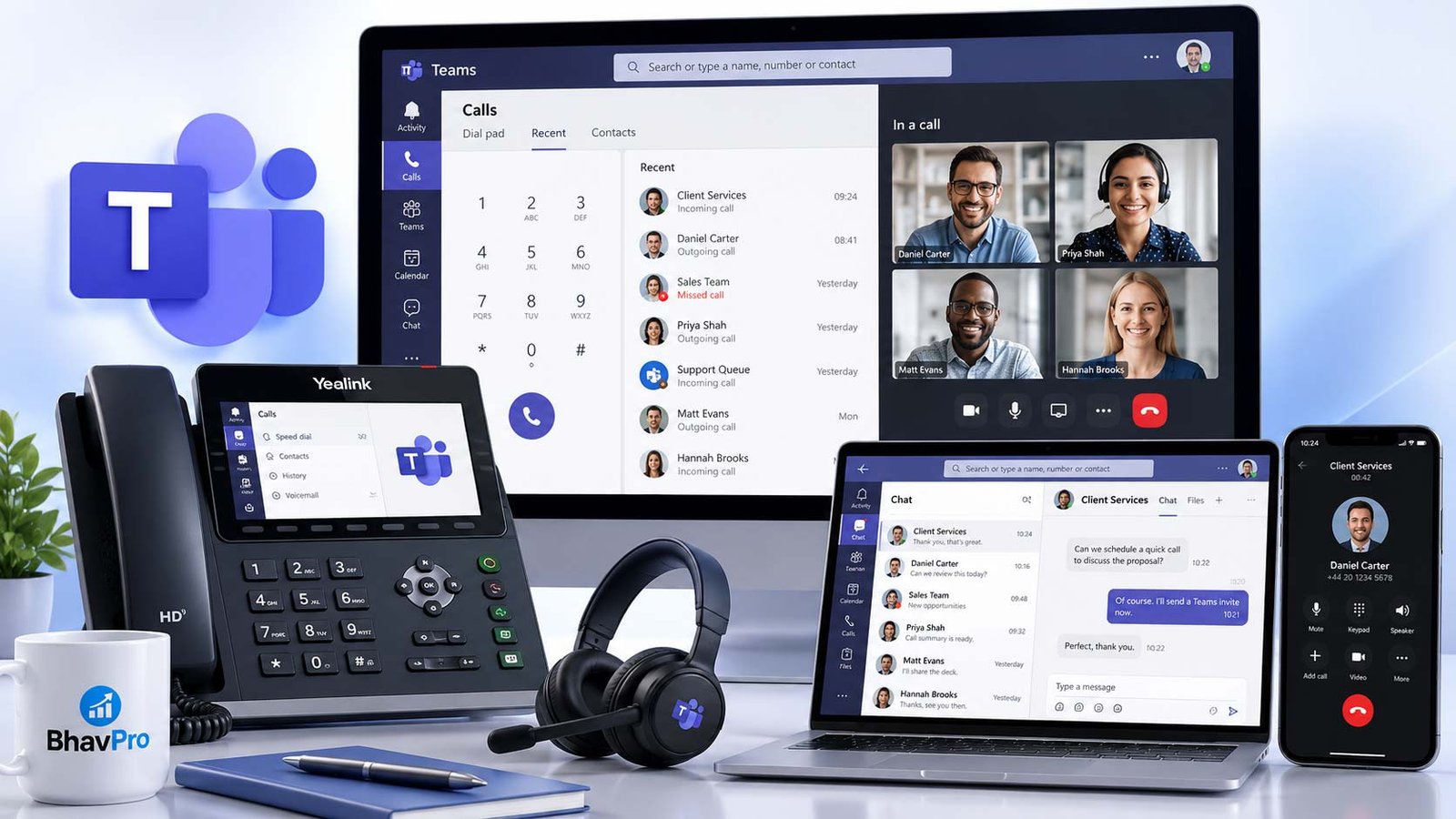
Do not group all Yealink hardware together. A Teams-certified business telephone, a SIP phone requiring a different provisioning approach and a Microsoft Teams Rooms meeting-room bundle are different procurement decisions. Confirm the device's current certification, support status, licensing implications and compatible deployment model before purchase.
For a wider device-versus-system comparison, see business phone endpoint choices.
When Teams Phone May Not Be the Right Answer
Teams Phone may not be the right fit when essential reception, reporting, legacy device or resilience requirements cannot be demonstrated in the proposed design. That is a reason to compare alternatives or a supported hybrid arrangement, not to assume every Teams Phone deployment is unsuitable.
A credible platform assessment includes cases where a Teams-first design is inconvenient. Treat these as questions to test, rather than reasons to reject Teams automatically:
- Do specialised applications require PBX integrations or signalling that the proposed Teams solution does not support?
- Can a reception team manage complex call handling, supervisor oversight or analytics without extra software?
- Does an emergency-call or mobile-user requirement depend on an operator, site location or device type?
- Can users make and receive calls during broadband, tenant, carrier or local power outages?
- Who owns troubleshooting when multiple vendors participate?
If key requirements remain unresolved, compare a dedicated hosted PBX or hybrid approach rather than forcing the existing technology to fit the new platform.
Migration and Go-Live Acceptance Checklist
A migration plan should validate business functionality before an important number is ported. Build a test tenant or controlled pilot where feasible, then retain a documented fallback.
- Inventory current numbers, extensions, call flows, contracts, analogue devices and integrations.
- Confirm each user’s Teams/Phone entitlement, device type and admin ownership.
- Choose and contract the PSTN model; obtain written porting and lead-time expectations.
- Configure main-number routing, opening hours, holidays, queues, voicemail and transfers.
- Test outbound UK and international destinations, CLI display, inbound DDI and call recordings where used.
- Confirm emergency calling location processes and business-continuity procedure with the relevant provider.
- Test queue overflow and the experience when a user, operator connection or site link is unavailable.
- Document rollback, number-port cutover owner, incident contacts and staff training.
Read UK number-porting planning and VoIP outage and emergency-call readiness for the deeper dependency checks.
Which Business Should Choose Which Model?
Both scenarios are hypothetical planning examples, not BhavPro customer case studies or promises about particular suppliers.
Decision Summary: Should You Proceed?
Shortlist Teams Phone when your staff are already productive in Teams, external calling is required, business call flows can be demonstrated and you can allocate ownership for Microsoft licences, PSTN connectivity, numbers and fault handling. Pause procurement when emergency calling, critical integrations or reception workflows remain untested.
The output from a proper assessment should be a documented model choice, an itemised cost, a number-port plan, tested call paths and an identified operational owner—not merely an estimate per user.
Microsoft Teams Phone FAQs
Do Microsoft Teams meetings include business landline calling?
No. Teams collaboration and meetings do not by themselves provide a complete public telephone calling service. Appropriate Teams Phone rights and PSTN connectivity are required.
Which Microsoft Teams Phone plan is best for a UK small business?
There is no universal cheapest plan. Teams Phone Standard requires a separate supported PSTN arrangement; Microsoft Calling Plan bundles may suit eligible businesses wanting Microsoft-provided calls and numbers. First check existing entitlements, then compare total licence, carrier and usage costs using the Teams Phone cost calculator.
Does the Teams Phone cost calculator include Microsoft 365 subscriptions?
Only when you enter additional eligible Microsoft/Teams licensing costs. The calculator does not assume that every organisation needs a new Microsoft 365 licence, nor that existing users automatically have Phone System. Enter any incremental prerequisite licence price and verify entitlements before purchasing.
Is Microsoft Teams Phone Standard the whole monthly phone cost?
No. PSTN connectivity, numbers, suitable prerequisite licensing, equipment and configuration/support may add costs. Check the exact tenant entitlements and carrier agreement.
Can our business keep its current UK phone numbers?
Number porting may be possible, subject to the existing provider, new connectivity model, number range and applicable processes. Confirm eligibility and timings before committing.
Can a business combine Operator Connect and Direct Routing?
Microsoft documents mixed PSTN connectivity within a tenant, subject to correct design, supported routing and the relevant provider agreements.
Is a Yealink Teams Rooms system the same as a Teams desk phone?
No. Meeting-room systems and Teams-certified telephones serve different workloads and can have different licensing and operational requirements.
Does Microsoft Teams Phone remove the need for disaster recovery?
No. Local connectivity, power, device readiness and carrier dependencies still need tested contingencies.
Sources and Further Verification
Microsoft Teams Phone licence rules, calling-route availability and UK prices should be checked against the current Microsoft documents below; the licensing and pricing references were rechecked on 31 October 2026.
- Microsoft Learn — PSTN connectivity models
- Microsoft Learn — Teams Phone licensing
- Microsoft Learn — Voice-app and resource-account licensing
- Microsoft Learn — Teams Phone setup
- Microsoft — UK Teams Phone Plan Pricing and Comparisons
- Microsoft Learn — Teams Shared Devices and Common-Area Phones
- Microsoft Learn — Teams Phone Resource Account Licences
- Microsoft Teams Phone — UK product pricing
- Microsoft Learn — Teams Phone Mobile
This Teams Phone guide explains a decision method, not a completed tenant audit. Example businesses are hypothetical; BhavPro does not claim Microsoft partner status or that it supplies Teams subscriptions or PSTN calling.
Need to Assess the Right Calling Approach?
About the Author