
Business Phone Systems UK: VoIP, Cloud & Small Business Guide
Choosing a business phone system is no longer a simple choice between a landline and a PBX. UK businesses can now use managed cloud phone systems, hosted VoIP, Microsoft Teams Phone, SIP-connected PBXs, private IP PBXs, UCaaS platforms and contact-centre services. The right route depends on how your organisation actually works: users, locations, numbers, call flows, integrations, support ownership, resilience and migration requirements.
Fast answer: Start with how your business needs to handle calls, not with a provider. Define who makes and receives calls, how inbound calls should route, which numbers must stay, what CRM or helpdesk integrations are required, who will manage the system, and what should happen during internet, power or site outages. Then compare the system types and providers that fit those requirements.
Which Business Phone System Type Fits Your Business?
The best starting point is not a provider name. It is the type of phone system that best matches the way your business communicates.
| Phone system route | Usually worth investigating when… | Main dependency | Main watch-out |
|---|---|---|---|
| Managed Cloud PBX / Hosted VoIP | You want a managed digital replacement for traditional business telephony with queues, routing, apps and central administration | Reliable IP connectivity and provider platform | Support scope, feature tiers and add-on costs |
| Microsoft Teams Phone | Microsoft 365 and Teams are already central to daily communication | Microsoft 365, Teams Phone and the chosen PSTN connectivity model | Licensing, call-flow design and operational ownership |
| SIP + Existing PBX | Your existing PBX remains useful but legacy connectivity needs replacing | Existing PBX, SIP trunk and network configuration | Age of the PBX, vendor support and migration complexity |
| Private-Cloud / IP PBX | You need greater control over PBX configuration, hosting or integrations | Hosting, SIP service and administration capability | More technical ownership |
| UCaaS | Voice needs to sit alongside messaging, meetings and wider collaboration | Cloud communications platform | Paying for capabilities that are not actually used |
| Contact Centre / CCaaS | Customer-facing teams need advanced queues, supervision, analytics or workflow controls | Contact-centre platform and operational process | Complexity, agent licensing and integration design |
| Mobile-First / Lightweight Virtual System | The team is small, highly mobile and has relatively simple inbound call requirements | Mobile/desktop applications and connectivity | Limited depth for complex routing, queues or multi-site requirements |
No route is automatically “best”. The useful question is: which architecture gives the business the required call experience with the least unnecessary complexity and a support model you can operate confidently?
What Is a Business Phone System?
A business phone system is the combination of phone numbers, call control, connectivity, endpoints, routing, administration, integrations and operational rules used to manage business calling. It determines how inbound and outbound calls reach users, teams and departments and what happens when somebody is unavailable, a queue is full, the office is closed or a service fails.
A modern system may include:
- UK geographic, non-geographic and direct-dial numbers
- A PBX or cloud call-control platform
- SIP or provider-managed PSTN connectivity
- Desk phones, headsets, desktop clients and mobile applications
- Auto attendants, IVR, queues, hunt groups and ring groups
- Business-hours and out-of-hours routing
- Voicemail and shared mailboxes
- Call recording and reporting
- CRM, helpdesk or contact-centre integration
- Administration, user provisioning and security controls
- Continuity and alternative-routing arrangements
The handset is only one endpoint in that environment. The quality of the business phone system depends just as much on the call design, support responsibilities, network and operational processes behind it.
Business Phone System vs Ordinary Phone Line
A traditional phone line principally provides a number and a route for calls. A business phone system manages what happens after a caller reaches the organisation.
For example, one main number might need to:
- Check whether the business is open.
- Offer Sales, Support and Accounts options.
- Send the caller to the correct queue.
- Ring several users or locations.
- Overflow to another team after a defined wait.
- Route differently during holidays.
- Send unanswered calls to shared voicemail or another destination.
- Record or log the interaction where required.
That logic is part of the phone system, not simply the telephone line.
Is a Business Phone System the Same as VoIP?
No. VoIP and business phone system are related terms, but they are not identical.
VoIP—Voice over Internet Protocol—describes the use of IP networks to carry voice communications. A business phone system is the broader operating environment that controls numbers, users, routing, devices, queues, integrations, administration and continuity.
A business can therefore have:
- a cloud business phone system that uses VoIP;
- an IP PBX connected to a SIP trunk;
- Microsoft Teams Phone connected to the public telephone network through an appropriate PSTN model;
- a managed hosted VoIP platform;
- or a mixed environment during migration.
Thinking in those terms is useful because it stops the buying process becoming “Which VoIP brand should we buy?” before the business has defined what the system actually has to do.
Types of Business Phone Systems in the UK
Modern business telephony is increasingly IP-based, but there are several valid ways to design it. The correct route depends on what you are replacing, how much control you need and where responsibility should sit.
Hosted VoIP and Cloud PBX
A hosted VoIP or cloud PBX system places the core call-control platform away from the business premises and makes it available as a service. Users normally connect through IP phones, desktop applications, headsets or mobile apps.
Common capabilities include:
- extensions and direct numbers;
- auto attendants;
- call queues and ring groups;
- business-hours routing;
- voicemail;
- call forwarding and transfer;
- desktop and mobile clients;
- reporting;
- recording options;
- central administration.
For many SMEs, managed Cloud PBX is a practical architecture to investigate because it can remove the need to maintain a traditional PBX at each location while supporting office, remote and mobile users.
The important word is managed. Two cloud phone systems can look similar on a feature list yet deliver very different operational experiences depending on who owns configuration, incidents, call-flow changes, number ports, endpoint support and escalation.
For a deeper look at hosted architecture, network dependencies, shared responsibilities, resilience and migration planning, see our Cloud Phone Systems UK guide.
Microsoft Teams Phone
Microsoft Teams Phone adds business telephony capabilities to Microsoft Teams. Microsoft currently describes Teams Phone as a cloud-based calling solution and supports options such as PSTN calling, call queues and auto attendants.
For organisations already using Microsoft 365 extensively, Teams Phone can reduce the number of separate user interfaces employees need to manage. It can also align identity and collaboration with calling.
However, “we already use Teams” is not enough on its own to determine fit.
A Teams Phone project still needs decisions around:
- PSTN connectivity
- phone numbers
- auto attendants and queues
- shared calling requirements
- reporting
- recording
- endpoints
- administration
- emergency arrangements
- integrations
- support ownership
If the organisation has complex reception, contact-centre or routing requirements, model those requirements before treating Teams Phone as the default choice.
SIP Trunking With an Existing PBX
SIP trunking can provide an IP-based connection between an existing PBX and a communications provider.
This can be appropriate when:
- the PBX remains supported;
- users already understand the system;
- business call flows are working well;
- replacing every endpoint would create unnecessary cost or disruption;
- the organisation wants to modernise connectivity without immediately replacing the PBX.
Platforms such as 3CX support SIP trunks, DDI routing, IVR, queues and ring groups. Similar principles apply across other capable IP PBX platforms.
The key question is whether preserving the existing PBX is genuinely efficient or merely postpones a replacement that will shortly be required anyway. Review hardware age, software support, vendor dependencies, licensing, security, integrations and administrative knowledge before choosing this route.
Private-Cloud or Self-Managed IP PBX
A private IP PBX gives the organisation or its delivery partner more control over the PBX environment than a typical fully managed hosted service.
This can suit businesses that need:
- deeper call-flow control;
- custom integrations;
- specific hosting requirements;
- their own SIP carrier relationships;
- greater administrative flexibility;
- or a more tailored deployment model.
Greater control also creates greater responsibility. Someone must own updates, security, backups, platform availability, SIP configuration, monitoring, user administration and support.
A technically powerful solution can become an operational weakness if nobody has clear responsibility for maintaining it.
UCaaS
Unified Communications as a Service—UCaaS—combines business calling with wider collaboration capabilities such as messaging, meetings, presence and sometimes workflow integration.
UCaaS can make sense where users genuinely need those capabilities together. It is less convincing when the business only requires straightforward telephony but buys a much broader collaboration suite because the feature list looks impressive.
Before choosing UCaaS, ask:
- Which collaboration features will people actually use?
- Are they already available through Microsoft 365 or another platform?
- Does adding another collaboration layer simplify or duplicate the user experience?
- Which platform becomes the system of record for presence, contacts and communication?
- Who will administer the full environment?
Contact Centre and CCaaS
A standard business phone system can handle queues and team calling, but high-volume service operations may need a dedicated contact-centre layer.
Contact Centre as a Service—CCaaS—may be appropriate where the organisation requires capabilities such as:
- advanced queue strategies;
- agent status and supervision;
- service-level reporting;
- quality management;
- workforce management;
- omnichannel handling;
- detailed customer-journey analytics;
- CRM or helpdesk workflow integration.
Do not buy a contact-centre platform simply because the business has a support team. First determine whether standard PBX queueing and reporting are insufficient.
Mobile-First and Virtual Phone Systems
Very small businesses, field-based organisations and distributed teams may not need traditional desk phones or a complex PBX environment.
A mobile-first service may provide:
- a professional business number;
- business caller ID;
- mobile and desktop apps;
- simple routing;
- voicemail;
- basic business hours;
- transfers;
- limited team handling.
This can be proportionate where call flows are simple.
It becomes less suitable when the business develops multiple departments, high inbound volumes, complex queueing, contact-centre requirements, specialist reporting or deeper CRM workflows.
Traditional PBX and Analogue Systems
Traditional PBXs and analogue lines still exist in UK businesses, particularly where older estates, specialist devices or long-running contracts are involved.
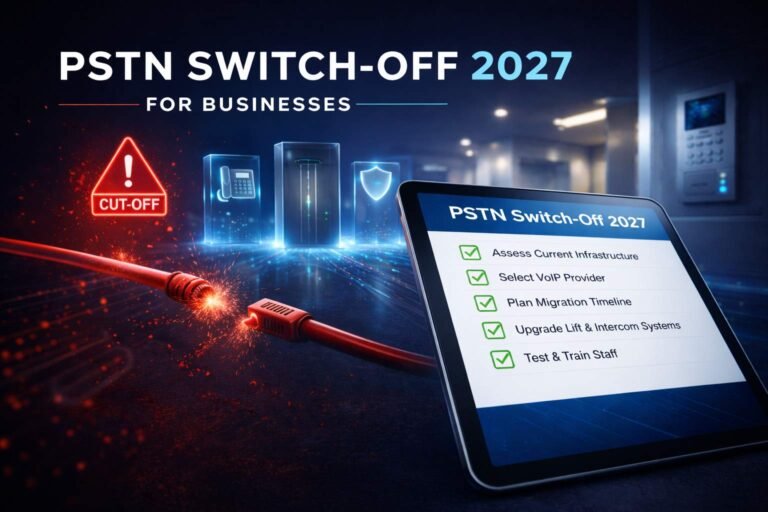
However, the UK is actively moving away from traditional analogue phone infrastructure. On the Openreach network, traditional phone lines need to move to digital services by 31 January 2027.
That makes a like-for-like investment in legacy telephony difficult to justify without a very specific technical reason. Businesses still operating traditional services should identify whether they are preserving a useful PBX, preserving only familiar habits, or carrying hidden dependencies that need separate treatment.
For detailed migration planning, see the PSTN Switch-Off 2027 business guide.
The BhavPro Business Phone System Fit Framework
A supplier demo normally starts with what the product can do. A stronger buying process starts with what the business must achieve.
BhavPro uses a requirements-first view across ten areas.
1. Users and Roles
Do not begin with “How many licences do we need?”
Start with how different people actually communicate.
A receptionist may need visibility across many users, rapid transfers, shared line handling and physical controls. A field employee may need almost everything through a mobile application. A support team may need queues and CRM context. An executive may need one identity across several devices.
Document:
- number of users;
- user roles;
- office, home and mobile workers;
- shared-device users;
- reception and switchboard roles;
- temporary and seasonal users;
- agents who need queue membership;
- users who rarely need a voice licence.
The aim is to avoid paying for a single standard configuration that does not fit the way different roles work.
2. Sites and Working Model
One office, ten offices and a distributed workforce can all have the same user count but require very different telephony designs.
Map:
- offices;
- branches;
- warehouses;
- reception areas;
- home users;
- mobile users;
- overseas users where relevant;
- contact-centre locations;
- temporary sites.
Then decide what should be centralised and what needs local resilience.
A cloud system can simplify multi-site administration, but site connectivity and local failure paths still matter.
3. Numbers
Business numbers are operational assets.
Build an inventory of:
- main published numbers;
- DDIs;
- number blocks;
- non-geographic numbers;
- fax numbers;
- numbers used only for outbound presentation;
- legacy service numbers;
- spare numbers;
- numbers associated with specific sites or departments.
Do this before asking a new provider to “port everything”.
Ofcom describes number portability as a regulated facility that allows customers to retain numbers when changing provider, but operational eligibility, service configuration and the porting process still need to be validated for the specific number estate.
For the detailed process, use VoIP Number Porting in the UK.
4. Call Journeys
The system should reflect how customers need to reach the business.
Map important inbound journeys before configuring any platform.
For example:
Main Number → Business Hours Check → Sales / Support / Accounts → Queue → Overflow → Alternative Team → Voicemail or Fallback
Document:
- business hours;
- holiday schedules;
- menu options;
- direct numbers;
- ring groups;
- queues;
- maximum wait;
- overflow;
- no-answer behaviour;
- voicemail;
- escalation;
- after-hours routing.
A supplier feature list might confirm that “queues” exist. It does not tell you whether the proposed queue design matches your actual customer journey.
5. Endpoints
A business phone system does not automatically require a desk phone for every person.
Choose endpoints according to role and environment.
Possible options include:
- desk IP phone;
- cordless DECT handset;
- desktop softphone;
- browser client;
- mobile application;
- wired or wireless headset;
- shared/common-area phone;
- conference-room device.
Avoid treating hardware as an afterthought. Reception, warehouse, remote and customer-service users can have very different requirements.
6. Integrations
Decide whether telephony should remain a standalone system or participate in business workflows.
Possible requirements include:
- click-to-call;
- caller identification;
- CRM screen pop;
- automatic activity logging;
- call outcome capture;
- missed-call tasks;
- recording links;
- helpdesk ticket association;
- reporting;
- workflow automation.
The question is not “Does the provider have a CRM integration?”
It is:
What should happen to the customer record before, during and after a call?
For detailed CTI and workflow design, see VoIP CRM Integration.
7. Administration
Some businesses want to control the phone system internally. Others want a provider or consultant to own most changes.
Define who will handle:
- new users;
- leavers;
- number assignments;
- queue membership;
- business hours;
- holiday schedules;
- IVR prompts;
- call forwarding;
- reporting;
- permissions;
- recordings;
- incident escalation.
A platform can be technically easy to administer but still be the wrong operating model if nobody has time or authority to manage it.
8. Connectivity and Resilience
A digital phone system relies on more than the phone platform.
Review:
- broadband;
- secondary connectivity;
- LAN switching;
- Wi-Fi where used for voice;
- firewalls;
- remote connectivity;
- power;
- routers;
- fibre ONTs;
- PoE switches;
- endpoint power;
- alternative routing.
For each component, ask:
What happens to inbound and outbound calls if this fails?
A cloud platform can remain fully operational while an office is unreachable because its local internet or power has failed.
Detailed outage planning belongs in the VoIP Power Cuts and Emergency Planning guide.
9. Governance, Recording and Security
If calls are recorded, reported on or connected to customer records, define governance before deployment.
Consider:
- why calls are recorded;
- who can access recordings;
- retention;
- deletion;
- administration permissions;
- role separation;
- audit requirements;
- calling permissions;
- account security;
- user offboarding;
- incident handling.
Do not buy “call recording” as though the existence of a Record button automatically resolves compliance or governance requirements.
10. Migration and Exit
A phone system should have both an entry plan and an exit plan.
Before signing, understand:
- number ownership and portability;
- contract term;
- hardware ownership;
- configuration export;
- recording export;
- integration dependencies;
- admin access;
- support handover;
- cease process;
- future porting.
A system that is easy to enter but difficult to leave creates operational and commercial dependency.
The selection sequence should therefore be:
Requirements → Architecture → Provider → Migration → Operations
—not—
Provider → Features → Hope It Fits
Small Business Phone Systems UK: What SMEs Actually Need
A small business phone system should be proportionate to the business, but “small” should not be confused with “basic”.
A five-person company receiving high-value inbound enquiries may need more carefully designed call handling than a 50-person organisation where most communication happens through scheduled online meetings.
The correct system depends on the work.
Sole Traders and Very Small Teams
A sole trader or microbusiness may only require:
- one professional business number;
- mobile and desktop calling;
- business-hours rules;
- voicemail;
- simple forwarding;
- basic caller ID;
- the ability to separate business and personal calling.
The priority is often simplicity.
A technically advanced PBX with dozens of queues, extensions and administrator roles can create more overhead than value for a two-person business.
However, think ahead before choosing an ultra-lightweight service. If the business expects to add employees, departments or CRM workflows shortly, check whether the platform can grow without forcing another migration.
Small Office and Hybrid Teams
Once several people share responsibility for sales, support or reception, call handling becomes more important.
Typical requirements may include:
- extensions and DDIs;
- auto attendant;
- ring groups;
- queues;
- shared voicemail;
- office and remote users;
- transfer and park;
- mobile/desktop applications;
- basic reporting;
- call recording where justified;
- CRM integration;
- holiday and out-of-hours rules.
At this stage, the main buying mistake is often choosing on licence price before designing the customer call journey.
Growing and Multi-Site SMEs
A growing SME normally needs clearer governance.
Requirements may include:
- centralised numbering;
- multi-site call routing;
- common business-hours logic;
- central administration;
- local and central failover;
- user provisioning;
- reporting;
- CRM or helpdesk integration;
- more formal support and escalation;
- staged migrations;
- defined continuity.
The number of employees alone is still not a reliable measure of complexity. A 30-user, five-site business can create more telephony design work than a 100-user single-site office.
Small-business principle: Choose the least-complex architecture that still supports the real customer journey, user roles, operational controls and expected growth.
VoIP Phone Systems UK: What VoIP Changes
Traditional business telephony was closely tied to dedicated telephone infrastructure. VoIP moves voice into IP-based communications, allowing business calls to be delivered through modern networks and software.
That changes what is possible.
A VoIP phone system can support:
- users away from the office;
- software-based endpoints;
- centralised routing;
- faster user changes;
- multi-site calling;
- CRM integration;
- software administration;
- more flexible failover routes.
But VoIP also changes what the business depends on.
The service may now rely on:
- broadband or other IP connectivity;
- routers and firewalls;
- switches and Wi-Fi;
- power for network equipment;
- cloud services;
- identity systems;
- applications;
- provider routing.
That is why “move to VoIP” is not a complete design.
The real task is to build a business phone environment in which the calling platform, connectivity, devices and fallback paths work together.
Business Phone System Features: What Do You Actually Need?
Feature lists are useful only when they connect to a business requirement.
| Capability | Business question to answer |
|---|---|
| Auto Attendant / IVR | Do callers need to select a department, service or journey? |
| Queue | Do multiple people need to answer calls for the same function while callers wait? |
| Ring / Hunt Group | Should several users ring simultaneously or in sequence? |
| Business Hours | How should routing change when the organisation is closed? |
| Holiday Routing | Who owns exceptional schedules and bank-holiday changes? |
| Overflow | What happens if nobody answers or a queue reaches its limit? |
| Voicemail | Individual, shared or departmental? Who monitors it? |
| Call Recording | Why is recording required, who can access it and how long should it be retained? |
| Reporting | Which decisions require call data? |
| CRM Integration | Should calls create or update customer activity? |
| Desktop App | Which users need calling from a computer? |
| Mobile App | Which users need the business identity while away from the office? |
| Presence | Should routing or transfers depend on user availability? |
| Caller ID / Number Presentation | Which number should be shown on outbound calls? |
| Administration | Who can change users, routes, schedules and queues? |
| Audit / Security | Who changed what, and how are privileged actions controlled? |
A good specification distinguishes between:
Must have — the business cannot operate correctly without it.
Should have — valuable and likely to be used.
Could have — useful if it does not materially increase cost or complexity.
That prevents a procurement process from becoming a contest for the longest feature list.
Desk Phone, Softphone or Mobile App?
Modern business phone systems make it possible to choose endpoints by role rather than issuing the same handset to everyone.
| User role | Endpoint approach worth considering |
|---|---|
| Reception | Physical phone or headset combined with desktop call controls |
| General Office User | Softphone, desk phone or both depending on workflow |
| Remote Worker | Desktop client, mobile app and suitable headset |
| Field Worker | Mobile app or fixed-mobile approach |
| Customer-Service Agent | Managed headset and desktop client |
| Warehouse / Shared Area | Shared or common-area handset |
| Executive / Highly Mobile User | Multi-device calling and presence |
| Meeting / Conference Space | Dedicated certified room or conference device where required |
When a Desk Phone Still Makes Sense
Desk phones remain useful where:
- calling is frequent;
- users prefer dedicated keys and tactile controls;
- reception handles high call volumes;
- shared devices are required;
- a handset must remain available without relying on a user laptop.
When a Softphone Makes More Sense
A desktop client can be a strong fit where:
- users already work through a laptop;
- headsets are standard;
- CRM integration matters;
- employees work from different locations;
- reducing desk hardware is desirable.
When Mobile Calling Is Essential
Mobile applications are valuable for:
- travelling staff;
- field teams;
- hybrid workers;
- managers moving between locations;
- continuity when a fixed endpoint is unavailable.
The endpoint strategy should follow the role—not an assumption that “modern means no handsets” or “business means everyone needs a desk phone”.
Call Flow Design Matters More Than the Feature List
Two systems can both advertise IVR, queues, voicemail and forwarding yet produce completely different customer experiences.
The difference is the design.
Consider a simple example:
Main Business Number
↓
Is the business open?
↓
Sales / Support / Accounts
↓
Appropriate Queue or Team
↓
Overflow After Defined Time
↓
Alternative Team, Mobile Route or Voicemail
↓
Missed-Call Follow-Up
Now add real conditions:
- bank holidays;
- lunch periods;
- site closures;
- training days;
- different opening hours by department;
- VIP customers;
- after-hours support;
- temporary campaigns;
- staff shortages;
- remote workers;
- service outages.
This is why a phone-system project should map the call flow before configuration.
Questions to answer include:
- Who owns the main number?
- Which menu choices are genuinely necessary?
- How long should callers wait?
- Should overflow go to another queue, external destination or voicemail?
- What happens when the business is closed?
- Who checks shared voicemail?
- How are missed calls followed up?
- What happens if the primary site is unreachable?
Good call routing should make the customer journey simpler, not make callers navigate technology for its own sake.
CRM and Business-System Integration
A modern business phone system can operate as a standalone communications service, or it can participate in the wider customer workflow.
The right level of integration depends on what the business needs to achieve.
Useful Integration Outcomes
Click-to-call
A user starts a call directly from the customer record.
Caller identification
The system recognises an inbound number and helps the user locate the correct record.
Screen pop
The relevant customer, lead, ticket or account opens when the call arrives.
Automatic call logging
The interaction is written to the CRM or helpdesk.
Call outcome
Users classify what happened and what should happen next.
Missed-call workflow
Unanswered calls create a task, alert or follow-up action.
Recording association
Where appropriate, an authorised user can locate a recording from the business record.
Reporting
Call activity contributes to sales, service or customer-experience reporting.
The technical connector is only one part of the design.
Before implementation, define:
- which record should own the call;
- how unmatched callers are handled;
- who owns follow-up;
- what data is written;
- whether duplicate activity can occur;
- which users can access recordings;
- how reporting should work.
For implementation-level guidance, see VoIP CRM Integration Services.
Network Quality and Resilience
A business phone system should be evaluated as an end-to-end service, not only as a cloud application.
Broadband and WAN
Voice traffic needs an appropriate network path.
Review:
- available bandwidth;
- peak utilisation;
- latency;
- jitter;
- packet loss;
- broadband stability;
- secondary connectivity;
- remote-user conditions.
Raw download speed alone is not a complete measure of voice readiness.
LAN and Wi-Fi
If office devices depend on the local network, check:
- switching capacity;
- Power over Ethernet where used;
- cabling;
- Wi-Fi coverage;
- voice over Wi-Fi suitability;
- VLAN or QoS strategy where appropriate;
- firewall and NAT behaviour.
A reliable cloud service cannot compensate for a poorly performing local network.
Power
Digital calling generally relies on powered devices such as:
- broadband router;
- fibre ONT;
- firewall;
- switch;
- Wi-Fi access point;
- desk phone;
- computer.
Ofcom’s current digital-landline guidance states that digital landlines need mains electricity and will not work in a power cut unless an appropriate backup is available.
For a business, the correct resilience model depends on how critical voice is and what equipment sits in the call path.
Possible controls include:
- UPS for critical network equipment;
- secondary internet connectivity;
- mobile fallback;
- external number diversion;
- distributed users;
- alternative support channels;
- outage runbooks.
For the detailed continuity process, use VoIP Power Cuts and Emergency Planning for UK Businesses.
UK 2027 Readiness: What Businesses Need to Consider
The UK move away from traditional phone infrastructure makes phone-system planning more urgent for organisations still using analogue or ISDN-dependent services.
Openreach states that traditional phone lines on its network need to move to digital services by 31 January 2027.
This is not only about voice handsets.
Openreach specifically warns businesses to identify equipment and services connected to traditional phone lines, including examples such as:
- alarms;
- CCTV;
- payment terminals;
- door entry systems;
- lift emergency phones;
- fire alarm monitoring.
A replacement business phone system does not automatically replace every analogue dependency.
That means the business should separate two questions:
- What phone system do our people need?
- What other services still rely on traditional lines?
Those workstreams may require different replacement solutions, vendors and timelines.
Do not wait for the final deadline before discovering these dependencies. Equipment compatibility, supplier involvement and testing can take time.
For the detailed readiness process, see PSTN Switch-Off 2027: Business Migration Guide and the Business Phone System Replacement Checklist.
UK source: Openreach — Switching Your Business to Digital.
Can You Keep Your Existing Business Phone Numbers?
In many cases, businesses can retain existing numbers when changing provider or service, but do not treat number migration as an assumption.
Ofcom describes number portability as a regulated facility that allows customers to keep their numbers when changing provider.
For a business migration, the practical task is to validate the actual number estate before submitting any port.
Check:
- exact numbers and ranges;
- current provider;
- account holder;
- service address;
- DDI blocks;
- associated services;
- routing;
- presentation numbers;
- numbers that may sit on different accounts;
- services that could be affected if the underlying line is changed or ceased.
Do not cancel the existing service simply because the new platform has been configured. Number moves and service ceases need to be sequenced correctly.
For the full process, see VoIP Number Porting in the UK.
UK source: Ofcom — Number Portability.
What Does a Business Phone System Cost in the UK?
Business phone system cost should be evaluated as a total operating model rather than a single per-user licence.
The total can include:
- user licences;
- calling plans or usage;
- phone numbers;
- handsets and headsets;
- installation;
- configuration;
- number porting;
- call recording;
- reporting;
- contact-centre functionality;
- CRM integrations;
- support;
- connectivity;
- backup connectivity;
- network upgrades;
- contract term;
- future change requests.
A lower entry price can become poor value if essential call handling, reporting, support or integrations sit in higher tiers.
A higher licence price can also be wasteful if the business buys capabilities that users never need.
The useful comparison is:
What will this system cost to implement, operate, support and change while delivering the required call experience?
For current provider pricing, example scenarios and hidden-cost analysis, see VoIP Cost UK 2026.
How to Choose a Business Phone System
Use this sequence before approaching the final provider shortlist.
1. Define Users and Sites
List who uses voice, how they work and where they work.
Separate office users, remote users, mobile users, reception, shared areas, customer-service teams, executives and occasional users.
2. Inventory Numbers and Dependencies
Document every important number and identify analogue-connected services.
Do not assume the telephone bill tells the whole story.
3. Map Real Call Journeys
Draw the inbound journey for the main number, sales, support, accounts, out-of-hours, overflow and emergencies where applicable.
If the call-flow design is unclear, provider comparison is premature.
4. Define Devices and Working Requirements
Determine who genuinely needs a desk phone, desktop app, mobile app, headset, cordless device or shared device.
5. Define Integrations and Governance
Specify CRM/helpdesk requirements, recording, reporting, permissions, administration, retention and audit requirements.
6. Define Failure and Continuity Requirements
Ask what should happen if internet fails, power fails, one site fails, the provider platform has an incident, or users cannot access their usual devices.
7. Shortlist Architecture Before Provider
Now decide which model deserves detailed evaluation: managed Cloud PBX, Teams Phone, SIP with existing PBX, private/IP PBX, UCaaS, CCaaS or a mobile-first service.
8. Compare Providers Within the Chosen Route
Only now should you compare vendors and suppliers.
Use Best Business VoIP Providers in the UK when you are ready for provider-level comparison.
Common Business Phone System Buying Mistakes
Buying on Licence Price Alone
A low monthly price does not reveal support boundaries, implementation cost, feature tiers, number charges, recording, integrations, change fees, hardware or contract restrictions.
Compare total operating requirements.
Assuming Every VoIP System Has the Same PBX Depth
Many platforms use the label VoIP, but they can differ significantly in queues, IVR, routing, reporting, integrations, administration and contact-centre depth.
Validate the call journey, not the category label.
Choosing the Provider Before Mapping Call Flows
This reverses the design process.
If the provider has already been selected, there is pressure to force the business process into what that platform does conveniently.
Define the call flows first.
Treating Number Porting as an Admin Task
Numbers are part of customer access and business continuity.
A failed or badly sequenced port can affect published contact routes, marketing, customer service and revenue.
Treat the number estate as a migration workstream.
Ignoring Analogue Dependencies
A digital phone replacement does not automatically solve alarms, lift lines, payment terminals, door systems or other line-connected equipment.
Inventory them separately.
Assuming “Cloud” Means Automatically Resilient
Cloud architecture removes some on-premises dependencies but creates reliance on connectivity, power, identity, devices and the cloud service itself.
Design the failure route.
Overbuying Features
A platform with more features is not automatically a better fit.
Unused capabilities add cost, training burden and administrative complexity.
Underestimating Administration
Someone must own users, permissions, call routes, schedules, queue membership, reporting and support escalation.
Clarify this before go-live.
Treating CRM Integration as an Afterthought
If call activity matters to sales or support workflows, define the integration before the system is configured.
Retrofitting process logic later can create duplicated data and inconsistent ownership.
Forgetting the Exit
Ask how numbers, recordings, configuration and integrations can be moved if the business changes platform later.
A good procurement decision considers the full lifecycle.
Business Phone System Decision Matrix
Use this as a starting point—not as a substitute for requirements discovery.
| Business scenario | Architecture to investigate first | Why |
|---|---|---|
| Highly mobile microbusiness | Mobile-first or lightweight managed cloud | Keeps the operating model simple |
| Typical office / hybrid SME | Managed Cloud PBX | Balanced routing, apps and central administration |
| Microsoft 365-centred organisation | Microsoft Teams Phone | Can align calling with the existing collaboration environment |
| Business with a viable existing PBX | SIP migration | May preserve useful existing investment while replacing connectivity |
| Complex multi-site operation | Cloud PBX or UCaaS | Supports centralised administration and routing |
| High-volume service operation | Contact-centre architecture | Adds queueing, supervision, reporting and operational controls |
| Organisation requiring deeper PBX control | Private-cloud / IP PBX | Provides greater technical and configuration control |
| Business with simple calling and little admin capacity | Managed hosted service | Reduces internal operational overhead |
Use this matrix as a starting point. The right choice still depends on your requirements, constraints and risk profile.
Business Phone System Pre-Shortlist Checklist
Before asking suppliers for proposals, you should be able to answer these questions.
Business Scope
- How many users need business calling?
- How many sites are involved?
- Which users work remotely or in the field?
- Which departments handle inbound calls?
Numbers
- Which main numbers must be retained?
- Are there DDI ranges?
- Are numbers spread across different providers?
- Are any numbers linked to other services?
Call Handling
- What happens to the main number?
- Are menus required?
- Which queues or ring groups are needed?
- What should happen when nobody answers?
- What changes outside business hours?
Devices
- Who needs a desk phone?
- Who needs a softphone?
- Who needs mobile calling?
- Are shared or cordless devices required?
Integrations
- Does the system need CRM integration?
- Does the helpdesk need call activity?
- Is call recording required?
- Which reports matter?
Operations
- Who adds and removes users?
- Who changes routing?
- Who handles incidents?
- Who owns supplier escalation?
Continuity
- What happens if broadband fails?
- What happens if power fails?
- Is secondary connectivity required?
- Can the main number be rerouted?
Migration
- What is the porting sequence?
- Are analogue devices involved?
- Can the system be piloted?
- What is the fallback if go-live fails?
If those answers are unclear, a provider quote is likely to contain assumptions.
When to Compare Business VoIP Providers
Provider comparison becomes useful after you know the architecture and requirements you are comparing.
At that stage, compare providers using the same requirement set.
For example:
- Can each provider support the required call flows?
- Which features are native and which require add-ons?
- Who owns number porting?
- Who owns call-flow changes after go-live?
- What support hours and escalation routes apply?
- How is resilience handled?
- What integrations are supported?
- What are the contract and exit terms?
- What is the total operating cost?
For a dedicated UK provider comparison, see Best Business VoIP Providers in the UK.
Use that comparison once your requirements are clear, so you can judge each provider against what your business actually needs them to deliver.
Frequently Asked Questions
What Is a Business Phone System?
A business phone system manages the numbers, users, devices and call-routing rules an organisation uses for voice communication. Modern systems can also include auto attendants, queues, desktop and mobile apps, voicemail, recording, reporting, CRM integration and resilience controls. The system is broader than the handset: it includes the call-control platform, connectivity, administration and operating processes behind business calling.
What Type of Phone System Is Suitable for a Small Business?
A small business should normally choose the least-complex system that still supports its real calling requirements. A very small mobile team may only need a business number, apps, voicemail and simple routing. A growing SME may need queues, auto attendants, DDIs, reporting, CRM integration and stronger administration. User count alone does not determine the right architecture; call flows, locations, integrations and support requirements matter just as much.
Is VoIP the Same as a Business Phone System?
No. VoIP describes carrying voice over IP networks. A business phone system is the wider environment that manages numbers, extensions, routing, devices, queues, administration, integrations and continuity. Most modern business phone systems use VoIP somewhere in the architecture, but the terms should not be treated as interchangeable.
When Should a Business Consider a Cloud Phone System?
A cloud phone system is worth considering when the business wants centrally managed calling without maintaining a traditional PBX at each site, needs office, remote and mobile users on the same service, or wants flexible routing, applications and business-system integrations. The design still depends on suitable connectivity, call flows, administration and continuity planning. For the detailed deployment model, see our Cloud Phone Systems UK guide.
Can a Business Keep Its Existing Phone Numbers When Changing Systems?
Often, yes. Ofcom defines number portability as a regulated facility that allows customers to retain numbers when changing provider. However, businesses should validate the actual number range, provider records, account details, associated services and proposed porting process before migration. Larger ranges, linked services or incorrect account information can make the project more complex.
Will a VoIP Business Phone System Work During a Power Cut?
Not automatically. Digital business calling can depend on powered equipment such as the broadband router, fibre ONT, firewall, network switch, Wi-Fi and endpoints. A cloud platform may still be running while the office is offline. Businesses that depend heavily on voice should plan appropriate backup power, alternative connectivity, mobile fallback or external routing based on their operational risk.
Do Businesses Still Need Desk Phones?
Some do and some do not. Reception teams, shared locations and frequent callers may benefit from dedicated phones or physical controls. Remote and mobile workers may work more effectively through desktop or mobile applications. The right endpoint should be selected by role and workflow rather than issuing the same hardware to everyone.
Should I Use Microsoft Teams Phone or a Cloud PBX?
Teams Phone is worth evaluating when Microsoft 365 and Teams are already central to the organisation and the telephony requirements can be designed appropriately around Teams, PSTN connectivity, queues, auto attendants and support. A managed Cloud PBX may be preferable where the business wants a dedicated telephony environment or a different support and call-control model. Define requirements first and compare the two architectures against the same call journeys.
What Happens to Business Phone Systems When the PSTN Closes?
Openreach says traditional phone lines on its network need to move to digital services by 31 January 2027. Businesses still using traditional phone services should identify phone numbers and any connected equipment such as alarms, payment terminals, door systems or lift lines. A new VoIP system may replace business calling but does not automatically replace every analogue dependency.
How Much Does a Business Phone System Cost in the UK?
Cost varies according to users, licences, calling, numbers, devices, implementation, recording, integrations, support, connectivity and contract terms. Comparing only the headline per-user price can hide important differences. Use the VoIP Cost UK guide for current provider pricing, example cost scenarios and total-cost-of-ownership analysis.
How This Guide Was Built
This guide uses a business-requirements-first approach informed by BhavPro’s work across VoIP architecture, SIP, cloud PBX, call-flow design, number migration, CRM integration, endpoint planning, network readiness and business operations.
This guide helps you define what your business needs before you compare suppliers. Once the requirements are clear, you can assess providers against the same practical criteria rather than relying on headline features or price alone.
The decision process follows this sequence:
- Understand the operating model
- Define users, sites, numbers and call journeys
- Choose the appropriate phone-system architecture
- Define resilience, governance and integrations
- Compare providers against the same requirements
- Plan migration, testing and operational ownership
Time-sensitive UK transition information is checked against authoritative sources. Platform-specific capabilities should be verified against current provider documentation before purchase because features, licensing and packaging can change.
Key References
- Openreach — Switching Your Business to Digital
- Ofcom — Your Landline Is Going Digital: What You Need to Know
- Ofcom — Number Portability
- Microsoft — Microsoft Teams Phone
- 3CX — SIP Trunk Configuration
- 3CX — Call Queues and Ring Groups
Need Help Choosing or Replacing a Business Phone System?
A business phone-system decision becomes easier when the requirements are separated from the vendor shortlist.
BhavPro can help review:
- your current PBX or VoIP environment;
- users and sites;
- numbers and porting dependencies;
- inbound call journeys;
- SIP and Cloud PBX options;
- Teams Phone requirements;
- devices and remote users;
- CRM integration;
- connectivity and resilience;
- migration and testing requirements;
- administration and support ownership.
Explore VoIP Consulting Services →
Executive Summary
- Start with the business requirement, not the provider.
- A business phone system includes numbers, call control, connectivity, endpoints, routing, administration, integrations and continuity—not just handsets.
- Managed Cloud PBX, Teams Phone, SIP with an existing PBX, private IP PBX, UCaaS, CCaaS and mobile-first services solve different operating problems.
- Small businesses should choose the least-complex architecture that still supports real customer journeys and expected growth.
- Call-flow design, support ownership and resilience can matter more than the length of the feature list.
- UK businesses still using traditional phone services should account for Openreach’s 31 January 2027 digital transition and identify non-voice equipment that may depend on traditional lines.
- Existing business numbers can often be retained through number portability, but the number estate and porting process should be validated before migration.
- When you are ready to compare suppliers, use the Best Business VoIP Providers UK guide.
- For current pricing and total-cost analysis, use VoIP Cost UK.
- For migration, number-porting and continuity planning, use the related BhavPro guides linked above.
About the Author