
Cloud Phone Systems UK: Architecture, Features & Migration Guide
Understand how a cloud business phone system works, what still depends on your numbers, network, devices and integrations, and how to plan a reliable move to cloud telephony for office, hybrid and mobile teams.
Fast answer: A cloud phone system moves the main PBX or call-control platform away from the business premises and delivers it as a hosted service, normally using VoIP. That removes the need for a traditional on-site PBX in a fully hosted design, but it does not remove responsibility for numbers, call flows, connectivity, devices, integrations, user access, continuity or support. A successful cloud migration therefore needs an architecture and operating model—not just a new licence.
What Is a Cloud Phone System?
A cloud phone system is a business telephone system whose main call-control platform is hosted away from the customer premises and delivered as a cloud service. It normally uses VoIP to connect users and calls, while functions such as extensions, call routing, queues, voicemail and administration are managed through the hosted platform rather than an on-site PBX.
This changes where the core phone system runs, but the business still has a complete communications environment around it: phone numbers, PSTN or carrier connectivity, user devices, broadband, local networks, integrations, permissions, support processes and continuity arrangements.
A cloud phone system is not simply “the PBX on the internet”. It is an operating model in which cloud call control must work with numbers, networks, users, applications and support responsibilities as one service.
Is a Cloud Phone System the Same as VoIP?
No. VoIP describes the technology used to carry voice over IP networks. A cloud phone system describes where the main phone-system platform is hosted and how it is delivered.
A cloud system normally uses VoIP, but VoIP can also be used with an on-premises or privately hosted IP PBX through SIP connectivity. That distinction matters because a business can modernise its voice transport without necessarily moving the whole PBX into a fully managed cloud platform.
Cloud PBX vs Hosted VoIP
The terms overlap significantly in the telecom market. Cloud PBX generally refers to the hosted call-control layer that manages extensions, routing, queues and other PBX functions. Hosted VoIP often describes the wider managed service, including the PBX, calling connectivity, numbers, applications and support.
3CX, for example, describes a hosted PBX as an off-site PBX managed in the cloud, while its documentation also distinguishes that complete phone-system role from SIP trunking, which connects an existing PBX to a provider.
Cloud Phone System vs UCaaS
Unified Communications as a Service—UCaaS—usually goes beyond business calling by combining voice with collaboration capabilities such as messaging, meetings, presence and wider application integrations. A cloud phone system can be part of a UCaaS platform, but a business does not necessarily need the whole UCaaS feature set to obtain effective cloud telephony.
Where Microsoft Teams Phone Fits
Microsoft describes Teams Phone Standard as a cloud-based calling solution. It provides the phone-system layer in Teams, but the organisation still needs a suitable route to the public telephone network. Microsoft currently supports several PSTN connectivity models, including Calling Plans, Operator Connect, Teams Phone Mobile and Direct Routing.
This is a useful example of why “cloud phone system” is an architecture category, not one fixed product design. The user experience can sit in Teams while the PSTN route, carrier relationship and operational ownership differ significantly between deployments.
How Does a Cloud Phone System Work?
In a typical hosted design, the business number reaches the cloud phone platform through the relevant carrier or PSTN route. The cloud platform applies the organisation's call rules and then delivers the call to the correct user, team, queue or application.
An outbound call follows the reverse logic: the user places the call from a phone, desktop client, browser or mobile application; the cloud platform applies identity, permissions and routing; and the relevant PSTN or carrier service carries the call to the destination.
What Runs in the Cloud
- User and extension configuration
- Call routing and business-hours logic
- Auto attendants and queues
- Voicemail and related services
- Administration and reporting tools
- Platform integrations, depending on product
What Still Exists Around It
- Business telephone numbers
- Carrier/PSTN connectivity
- Broadband and local networking
- Phones, headsets and applications
- User identity and permissions
- Support, continuity and business processes
The BhavPro Cloud Phone System Deployment Blueprint
Cloud telephony works best when it is treated as a seven-layer business service rather than a software subscription. The following blueprint separates the parts that must be designed, validated and owned before a reliable go-live.
1. Numbers & PSTN
Start with the telephone-number estate and the external calling route. Identify main numbers, DDIs, number ranges, non-geographic numbers, presentation numbers and the provider that currently hosts them.
- Which numbers must be retained?
- Who is the current provider/account holder?
- Are there number blocks or linked services?
- How will inbound and outbound PSTN calling be delivered?
- Which numbers must route to queues, IVRs or users?
Do this before the port request. A new cloud platform can be fully configured while the public numbers are still the critical migration dependency.
2. Cloud Call Control
This is the PBX layer that determines how business calls behave. It should be designed from real customer journeys rather than copied from a legacy configuration without review.
- Extensions and users
- Auto attendants and IVR
- Queues and ring groups
- Business hours and holidays
- Overflow and no-answer rules
- Voicemail, recording and reporting
Platforms can expose similar feature names while differing in routing depth, administration and licence boundaries. Validate the actual workflow.
3. Identity & Administration
A cloud service centralises control, so access design matters. Define who can create users, assign numbers, change call routes, access recordings and alter security-sensitive settings.
- User identity and authentication
- Administrator roles
- Least-privilege access
- Joiner/mover/leaver process
- Department or site administration
- Audit and escalation ownership
The system should remain operable when the person who implemented it is unavailable.
4. Network & Access
Moving the PBX to the cloud does not remove the network between the user and the platform. Review the complete path from the endpoint to the service.
- Primary internet connectivity
- Secondary connectivity where justified
- Router and firewall behaviour
- LAN switching and PoE
- Wi-Fi suitability
- Remote-user connectivity
Raw download speed alone is not a voice-readiness test. Stability, latency, jitter, packet loss and local congestion also matter.
5. User Endpoints
Cloud telephony can support several user experiences. Select endpoints by role instead of issuing identical hardware to every user.
- Desk IP phone
- Desktop softphone
- Browser calling
- Mobile application
- Headset
- Shared/common-area handset
Reception, warehouse, remote and field users often need different endpoint combinations even when they share the same cloud platform.
6. Integrations & Data
Decide what the phone system must exchange with CRM, helpdesk, recording, reporting and automation tools.
- Caller/contact matching
- Click-to-call and screen pop
- Activity logging
- Missed-call workflow
- Recording linkage
- APIs, webhooks and analytics
Integration should support a defined business workflow rather than simply prove that two platforms can connect.
7. Operations & Continuity
The service still needs an owner after go-live. Define who handles everyday changes, incidents and failure scenarios.
- User and call-flow changes
- Holiday schedules
- Fault diagnosis and escalation
- Number-porting ownership
- Connectivity or power failure response
- Documentation and operational handover
The cloud provider can operate the platform infrastructure while the business remains responsible for many service outcomes.
A cloud phone system is ready for production only when the seven layers work together. A technically healthy cloud PBX can still produce a poor business outcome if numbers, call flows, network, administration or continuity are not designed correctly.
Types of Cloud Phone Systems
“Cloud phone system” describes a family of deployment models rather than one fixed architecture. The system can be fully provider-managed, embedded in a collaboration platform, hosted as a dedicated PBX or operated through a private cloud arrangement.
| Cloud model | What it means | Typical fit | Operational consideration |
|---|---|---|---|
| Managed Hosted VoIP / Cloud PBX | A provider or partner hosts the core telephony and normally manages much of the service. | SMEs wanting managed business calling without an on-site PBX. | Confirm exactly what support and configuration changes are included. |
| UCaaS | Cloud calling sits alongside messaging, meetings, presence and collaboration. | Distributed organisations using broader unified communications. | Avoid paying for duplicated collaboration capabilities. |
| Microsoft Teams Phone | Cloud calling and PBX capabilities are delivered through Teams with an appropriate PSTN model. | Microsoft 365-centred organisations. | Calling Plan, Operator Connect, Teams Phone Mobile and Direct Routing create different responsibility models. |
| Dedicated Hosted IP PBX | A dedicated PBX instance is hosted away from the business premises. | Businesses needing deeper PBX control or configuration. | Clarify who manages hosting, PBX administration, SIP and updates. |
| Private-Cloud PBX | The organisation or partner controls the hosting environment and PBX software. | IT-led organisations needing greater architecture control. | More control creates more operational responsibility. |
| Cloud Contact Centre | Customer-service calling is designed around agents, queues, supervision and analytics. | Higher-volume sales and service operations. | Do not substitute a complex contact-centre platform for a simple business phone requirement. |
3CX documentation illustrates this architectural range clearly: the platform can be hosted by 3CX, self-hosted in a public cloud or deployed on premises, while SIP connectivity and call handling remain separate design decisions.
What Does Moving the Phone System to the Cloud Actually Remove?
The phrase “move the phone system to the cloud” can create the impression that most technical and operational responsibilities disappear. In a fully hosted design, some on-premises PBX responsibilities can be removed or significantly reduced, but many dependencies remain.
Usually Removed or Reduced
- Traditional on-site PBX hardware
- PBX server maintenance at the office
- Local PBX capacity planning
- Some site-specific upgrade activity
- Direct dependence on a physical PBX room in a fully hosted model
Not Removed
- Telephone numbers and carrier relationships
- Internet and local network dependency
- Power for local network equipment and endpoints
- User and administrator governance
- Call-flow design
- CRM/helpdesk integrations
- Business continuity and incident response
- Supplier, contract and support management
This distinction is important when comparing cloud proposals. A vendor may legitimately manage the hosted PBX infrastructure while the business or implementation partner still owns the network, number inventory, user design and operational processes.
Cloud Phone System Features: What Should You Actually Look For?
Feature availability varies by platform, licence tier and configuration. Instead of assuming every cloud service includes the same capability, map each feature to the business outcome it needs to support.
| Capability | Business question | What to validate |
|---|---|---|
| Auto attendant / IVR | Do callers need to choose a department or journey? | Menu depth, schedules, prompts and exception routing. |
| Queues | Do several users handle the same inbound demand? | Queue rules, announcements, overflow, reporting and agent controls. |
| Ring groups | Should multiple users ring together or in sequence? | Ring strategy, timeout and fallback behaviour. |
| Business hours | How should routing change when the organisation is closed? | Department schedules, holidays and emergency overrides. |
| Desktop / mobile apps | Which users need calling away from a desk phone? | Transfer, presence, voicemail and feature parity by device. |
| Call recording | Why is recording required and who may access it? | Licence tier, storage, permissions, retention and export. |
| Reporting | Which operational decisions depend on call data? | Queue data, missed calls, user activity, exports and API access. |
| Number management | How are DDIs, presentation numbers and routes controlled? | Admin permissions, porting model and provider process. |
| CRM integration | Should calls create or update customer activity? | Record matching, logging, screen pop, outcomes and API capability. |
| Administration | Who makes everyday changes? | Role-based administration, audit history and delegation. |
For example, current Microsoft Teams Phone documentation describes cloud calling, PSTN connectivity and voice applications, while 3CX documentation separately exposes SIP trunking, DDI routing, ring groups and queues. The practical requirement is to verify the exact function in the exact licence and deployment model you plan to use.
Cloud Phone Systems for Small Businesses
A cloud phone system can be particularly useful for a small business because it can provide professional call handling without requiring the business to operate a traditional PBX on site. The correct scope still depends on the customer journey rather than employee count alone.
Microbusiness
A small mobile team may need a professional business number, desktop/mobile calling, business-hours rules, voicemail and simple forwarding. The priority is low operational overhead and a clear separation between business and personal calling.
Growing SME
As departments form, the business may need DDIs, auto attendants, queues, shared voicemail, reporting, CRM integration and stronger administration. The call journey becomes more important than the basic licence.
Multi-Site SME
Multiple sites increase the need for common numbering, central routing, central administration, resilient connectivity, consistent policies and clear support ownership.
A small business does not necessarily need the smallest phone product. It needs the least-complex cloud architecture that can support its real call flows, user roles, integrations and expected growth.
Potential Benefits of a Cloud Phone System
The benefits of cloud telephony depend on the starting environment and implementation. They should be treated as potential operating improvements rather than guaranteed outcomes.
Remote and Hybrid Accessibility
Users can often access the same business calling identity through office phones, desktop applications and mobile clients, reducing dependence on one physical location.
Central Administration
Users, numbers, schedules and routing can often be managed through a central portal rather than separate on-site PBX interfaces.
Reduced On-Site PBX Infrastructure
A fully hosted model can remove the need to maintain a traditional physical PBX server at each business location.
User and Site Provisioning
Cloud platforms can make it easier to add users or support new locations when licences, connectivity, numbers and implementation processes are prepared.
Endpoint Flexibility
Users may work through desk phones, desktop clients, browsers, mobiles or a combination based on role.
Integration Potential
Modern cloud platforms may provide native connectors, APIs and webhooks that can integrate calling with CRM, helpdesk and reporting workflows.
These advantages should be weighed against connectivity, support, governance and migration requirements. Cloud is a deployment model, not an automatic guarantee of lower cost, better call quality or stronger resilience.
Cloud Phone System Limitations and Dependencies
A credible cloud-phone decision needs to examine dependencies as carefully as benefits. Most problems after go-live are not caused by the word “cloud”; they arise when one layer of the service was never properly designed.
Internet Dependency
Users need a working path to the cloud service. A healthy provider platform cannot make a disconnected office reachable.
Local Network Dependency
Poor Wi-Fi, switching, cabling, firewall configuration or congestion can damage the user experience even when broadband speed appears high.
Power Dependency
Routers, ONTs, switches, access points, computers and desk phones normally depend on mains power unless suitable backup is provided.
Identity and Application Dependency
Cloud calling can rely on user accounts, authentication, software clients and device configuration. Those systems need their own governance and support.
Provider and Support Dependency
The support route becomes part of the system. Clarify who owns incidents, changes, porting and escalation before signing.
Integration Dependency
A telephony service can remain operational while CRM logging, screen pop or automation is unavailable. Separate critical voice from non-critical workflow dependencies where appropriate.
Does a Cloud Phone System Need Good Internet?
Yes. Cloud telephony depends on suitable IP connectivity, but raw download speed alone is not enough to assess voice readiness. Stability, latency, jitter, packet loss, local network quality and competing traffic can all affect call performance.
Broadband and WAN
Review how each site reaches the cloud platform, the quality and stability of that connection, and whether voice is sufficiently important to justify a second connection or alternative path. A small office with modest calling may need a very different resilience design from a service desk whose revenue depends on continuous inbound calls.
LAN, Switching and Wi-Fi
Inside the site, review switching, Power over Ethernet where desk phones are used, cabling, VLAN or QoS design where appropriate, Wi-Fi coverage and firewall behaviour. Voice-over-Wi-Fi can work well, but it should not be assumed to be reliable simply because normal web browsing works.
Remote Users
Home and mobile users operate outside the office network, so central IT has less control over local Wi-Fi, consumer routers and connectivity. Support processes should recognise this rather than treating every call-quality issue as a cloud-provider fault.
Test the path users will actually use. A cloud phone deployment is an end-to-end service from the caller through the platform and network to the endpoint.
What Happens to a Cloud Phone System During a Power Cut?
A cloud platform may remain fully available during a local power cut, but the business site can still lose calling because the equipment required to reach that platform has stopped working.
Openreach's current business digital-phone guidance states that digital phone lines rely on power and broadband and may not work during a power cut unless a backup power solution is available.
Equipment That May Need Power
- Fibre ONT or modem
- Router and firewall
- Network switch
- Wi-Fi access points
- Desk phones
- Computers and monitors
Continuity Options to Evaluate
- UPS for critical network equipment
- Secondary internet connectivity
- Mobile-data fallback
- External number rerouting
- Distributed or remote users
- Documented outage procedures
The right continuity design depends on how critical voice is to the organisation. A business receiving emergency, care or other critical calls should obtain provider-specific guidance for its requirements rather than relying on a generic cloud-phone assumption.
Cloud Phone System Security and Governance
Cloud should not be treated as automatically secure or insecure. The relevant question is how the chosen service controls access, calling permissions, recordings, integrations and administrative changes.
| Control area | Questions to ask |
|---|---|
| Authentication | Can users and administrators use strong authentication and MFA where supported? |
| Administrator roles | Can powerful privileges be limited rather than shared broadly? |
| User lifecycle | How are joiners, movers and leavers provisioned and deactivated? |
| Calling permissions | Can international, premium or other high-risk destinations be controlled? |
| Recording access | Who can listen, download, retain or delete recordings? |
| Audit | Can significant administrative changes be traced? |
| API / integrations | How are tokens, credentials and third-party permissions controlled? |
| Endpoint security | How are user devices, applications and shared phones managed? |
Recording, retention and data-access requirements should be defined as business and compliance requirements before they are translated into platform settings. BhavPro provides compliance-aware system planning rather than legal certification; organisations should confirm applicable legal and regulatory obligations for their own use case.
Cloud Phone System and CRM Integration
Cloud telephony becomes more valuable when important call activity can participate in the wider customer workflow. The integration should begin with the business outcome rather than the connector name.
Useful integration outcomes can include caller identification, screen pop, click-to-call, automatic activity logging, missed-call tasks, call outcomes, recording links and communication reporting.
The implementation should also decide how unmatched callers are handled, which record owns the call, who follows up missed enquiries, what happens when an integration fails and which users may access recordings or sensitive call data.
How Much Does a Cloud Phone System Cost in the UK?
Cloud phone system cost should be assessed as a total operating requirement rather than a headline licence price. The relevant cost layers can include:
Service Costs
- User or system licences
- Calling plans or usage
- Telephone numbers
- Recording and reporting features
- Contact-centre or advanced routing features
- Support tier
Deployment & Operating Costs
- Implementation and configuration
- Number porting
- Desk phones and headsets
- CRM/business integrations
- Connectivity or network improvements
- Training and future change requests
A low entry licence can become poor value if the required queues, recording, support or integrations sit in higher tiers. Equally, a larger collaboration package can be wasteful if the business only needs straightforward telephony.
This page deliberately does not duplicate provider-by-provider pricing. For current provider prices, example scenarios and total-cost-of-ownership analysis, use the dedicated VoIP Cost UK guide.
Can You Keep Existing Business Phone Numbers?
Often, yes. Ofcom describes number portability as a regulated facility that allows customers to keep their numbers when changing provider. The practical cloud migration still needs a validated number inventory and a controlled porting sequence.
Before migration, confirm:
- Main published numbers and DDIs
- Number blocks and associated ranges
- Current provider and account holder details
- Service addresses where relevant
- Outbound presentation numbers
- Numbers linked to other services
- Which new cloud destination each number should reach
Do not cease an existing service merely because the new cloud platform has been built. Number migration and service cancellation must be sequenced correctly.
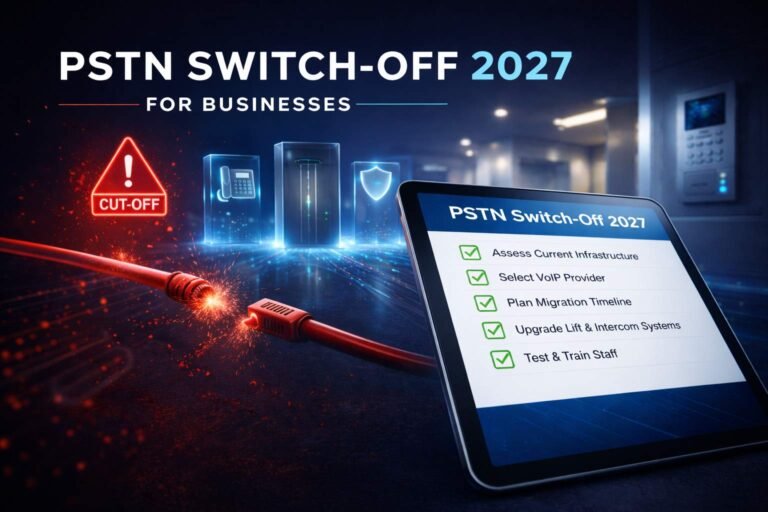
Cloud Phone Systems and the UK 2027 Transition
Cloud telephony is increasingly relevant because the UK is moving away from traditional phone infrastructure. Openreach's current business guidance states that traditional phone lines need to move to a digital service by 31 January 2027.
For businesses, this is not only a handset issue. Openreach advises organisations to review equipment and services connected to traditional lines, including examples such as alarms, CCTV, payment terminals, door entry systems, lift emergency phones and fire alarm monitoring.
What a Cloud Phone System Can Replace
The cloud platform can replace the core business-voice call-control environment, including users, call routing, queues, voicemail and related PBX functions.
What It Does Not Automatically Replace
Analogue-connected alarms, lift lines, payment devices, fax, door systems or other specialist equipment may require their own migration path and supplier involvement.
That is why a business should separate cloud phone migration from the broader traditional-line dependency audit. The projects overlap, but they are not identical.
How to Move to a Cloud Phone System
A safe cloud-phone migration separates discovery, architecture, build, testing, porting and operational handover. The aim is to prove the new service before the most critical public numbers depend on it.
1. Inventory
Document users, sites, numbers, lines, endpoints, contracts, analogue devices and current integrations. Identify anything that could be affected when legacy services change.
2. Map Call Journeys
Define what should happen to the main number, departmental numbers, queues, business hours, holidays, overflow and out-of-hours calls.
3. Choose the Cloud Architecture
Decide whether the requirement points to managed Cloud PBX, Teams Phone, UCaaS, a dedicated hosted PBX or a contact-centre architecture.
4. Validate Network & Endpoints
Check connectivity, firewall, LAN/Wi-Fi, remote-user conditions, desk phones, headsets and mobile/desktop applications.
5. Build and Configure
Create users, permissions, call flows, schedules, queues, voicemail, integrations and reporting before number cutover.
6. Pilot
Use a controlled user group or test numbers to validate calls, devices, routing, recording, integration and support processes.
7. Prepare Number Migration
Validate provider records and the number estate, then agree the porting and cutover sequence. Avoid unnecessary big-bang migrations where staged movement is practical.
8. Cut Over
Move the agreed services in a controlled window with clear ownership, escalation and fallback actions.
9. Validate Production
Test inbound and outbound calls, caller ID, queues, business-hours logic, recording, CRM workflows, reports and continuity routes.
10. Operational Handover
Document administrator roles, user changes, support escalation, holiday updates, incident handling, licences and future ownership.
Cloud Phone System vs Traditional PBX
The main architectural difference is where the core call-control platform operates and who manages it. A concise comparison is more useful here than duplicating a complete PBX-vs-cloud article.
| Factor | Cloud phone system | Traditional / on-premises PBX |
|---|---|---|
| Core call control | Hosted remotely by a provider/partner or in a cloud environment. | Runs on PBX infrastructure at the customer site. |
| Commercial model | Usually service/subscription based, depending on platform. | Hardware, software, support and carrier costs vary by system. |
| Remote users | Normally designed to support distributed access. | Depends on PBX, network and remote-access design. |
| Administration | Typically portal/software driven from a central service. | Platform and support model dependent. |
| Local PBX hardware | No traditional on-site PBX required in a fully hosted model. | PBX infrastructure remains on premises. |
| Connectivity dependency | Users need suitable IP access to the cloud service. | Internal calling may remain local, while external calling still depends on the chosen carrier architecture. |
| Control model | Provider/platform dependent. | Often greater direct control over local PBX infrastructure. |
| Maintenance | Shared/provider model for cloud infrastructure. | Customer or support partner manages PBX hardware/software. |
The correct decision depends on the current PBX, support skills, integrations, migration requirements and desired operating model. A viable modern IP PBX may justify a different migration path from an unsupported legacy system.
How to Choose a Cloud Phone System
Choose the cloud architecture first, then compare providers against the same documented requirements.
Define Requirements
Document users, sites, numbers, inbound journeys, devices, integrations, recording, reporting and continuity requirements.
Choose the Cloud Model
Decide whether the requirement is best served by managed hosted PBX, Teams Phone, UCaaS, dedicated hosted PBX or a more specialised contact-centre architecture.
Validate Call-Flow Fit
Prove the platform can deliver the required queues, IVR, overflow, business hours, voicemail and routing logic without unreasonable workarounds.
Validate Network and Endpoint Fit
Check the sites, remote users, phones, headsets, applications, LAN/Wi-Fi and connectivity path.
Define the Operating Model
Decide who owns users, call-flow changes, licences, support, incidents, reporting, integrations, numbers and continuity.
Then Compare Providers
Once the architecture is defined, provider comparison becomes much more meaningful because each supplier is answering the same requirement rather than presenting a different sales demo.
Common Cloud Phone System Buying Mistakes
Choosing the Provider Before the Requirements
This encourages the business to fit its workflow around whichever platform was demonstrated first. Map users, call journeys and operational responsibilities before the shortlist.
Assuming Every Cloud Phone System Has the Same PBX Depth
Products can differ materially in queues, IVR, reporting, recording, number control, administration and integration capability.
Assuming Cloud Removes Connectivity Dependency
The PBX may move off site while every office and remote user still needs a working IP path to reach it.
Ignoring LAN and Wi-Fi
A fast internet circuit cannot compensate for poor local switching, coverage, firewall behaviour or congestion.
Treating Number Porting as Clerical Admin
Main numbers are part of customer access and business continuity. Inventory and sequence them as a migration workstream.
Copying Old Call Flows Without Review
A cloud migration is an opportunity to remove unnecessary menus, routes and legacy workarounds rather than recreating them blindly.
Buying UCaaS When Only Telephony Is Needed
A broader suite can be useful, but duplicated messaging and meeting tools add cost and user complexity if the business already has them.
Buying Basic VoIP When a Contact Centre Is Needed
Heavy customer operations may require supervision, agent controls, analytics and workflow capabilities beyond a standard cloud PBX.
Assuming CRM Integration Means the Workflow Is Solved
A connector still needs rules for record matching, logging, follow-up, recordings and error handling.
Leaving Administration Undefined
Someone must own users, queues, schedules, permissions and support escalation after implementation.
Skipping the Pilot
A controlled pilot can reveal device, network, routing and workflow problems before the main number depends on the new system.
Ignoring the Exit
Understand contract terms, number portability, data/recording export and how the business could move again later.
Cloud Phone System Pre-Deployment Checklist
Before approving a migration, confirm that the design covers the complete service—not only the cloud licence.
Business & Users
- User roles are defined
- Sites and remote users are documented
- Reception and shared-device requirements are known
- Growth or seasonal requirements are considered
Numbers & Calling
- Number inventory is complete
- Current provider records are validated
- Inbound destinations are mapped
- Outbound presentation requirements are known
Call Flows
- Business hours and holidays are documented
- IVR/queue logic is approved
- Overflow and no-answer behaviour is defined
- Voicemail ownership is clear
Network & Devices
- Internet path has been assessed
- LAN/Wi-Fi is suitable
- Phones/headsets/apps are standardised
- Remote-user support is defined
Integration & Governance
- CRM/helpdesk workflow is defined
- Recording purpose/access is defined
- Admin roles are assigned
- Joiner/mover/leaver process is known
Continuity & Operations
- Internet/power failure response is understood
- Support escalation is documented
- Pilot and cutover plan are agreed
- Operational handover is included
Frequently Asked Questions
What is a cloud phone system?
A cloud phone system is a business telephone system whose main call-control platform is hosted away from the customer premises and delivered as a cloud service. It normally uses VoIP to connect users and calls, while functions such as extensions, call routing, queues, voicemail and administration are managed through the hosted platform rather than an on-site PBX.
How does a cloud phone system work?
Incoming calls reach the business number through the relevant carrier or PSTN route and are passed to the cloud phone platform. The platform then applies business-hours rules, auto attendants, queues, routing and user settings before delivering the call to a desk phone, desktop client, browser or mobile app. Outbound calls follow the reverse path through the cloud platform to the external network.
Is a cloud phone system the same as VoIP?
No. VoIP is the technology used to carry voice over IP networks. A cloud phone system is an architecture and service model in which the core phone-system platform is hosted remotely. Most cloud phone systems use VoIP, but VoIP can also be used with on-premises or privately hosted IP PBX systems.
What is the difference between cloud PBX and hosted VoIP?
The terms overlap heavily in the market. Cloud PBX usually refers specifically to the hosted call-control system that manages extensions, routing, queues and other PBX functions. Hosted VoIP can describe the wider service, including the cloud PBX, calling connectivity, numbers, devices, support and applications.
Is Microsoft Teams Phone a cloud phone system?
Yes. Microsoft describes Teams Phone Standard as a cloud-based calling solution. Businesses still need to choose how Teams connects to the public telephone network, for example through Microsoft Calling Plans, Operator Connect, Teams Phone Mobile or Direct Routing, depending on requirements and availability.
Does a cloud phone system need broadband?
Yes, users need suitable IP connectivity to reach the cloud calling service. Raw download speed alone is not enough to assess voice readiness; stability, latency, jitter, packet loss, LAN or Wi-Fi performance, firewalls and competing network traffic can all affect the experience.
Will a cloud phone system work during a power cut?
Not automatically. Even if the cloud platform remains online, the local broadband router, fibre ONT, firewall, network switch, Wi-Fi, computer or phone may lose power. Businesses that depend on voice should design appropriate backup power, alternative connectivity, mobile fallback or external call routing according to operational risk.
Can I keep my existing business phone numbers?
Often, yes. Ofcom describes number portability as a regulated facility that allows customers to retain numbers when changing provider. The actual migration should still validate number ownership, ranges, provider records, linked services and the porting sequence before any existing service is ceased.
Do I still need desk phones with a cloud phone system?
Not necessarily. Cloud phone systems can support desk phones, desktop clients, browser-based calling and mobile apps. Reception, warehouse and shared-location users may still benefit from dedicated hardware, while remote and mobile workers may prefer software endpoints. Endpoint choice should follow the user role and workflow.
How much does a cloud phone system cost in the UK?
Total cost depends on licences, calling, numbers, devices, implementation, recording, integrations, support, connectivity and migration requirements. Headline per-user pricing is only one part of the operating cost. BhavPro keeps detailed provider pricing and total-cost analysis in its dedicated VoIP Cost UK guide.
Is a cloud phone system suitable for a small business?
It can be. A small business may benefit from professional numbers, business-hours routing, voicemail and mobile or desktop apps without operating an on-site PBX. The right system is the least-complex cloud architecture that still supports the real call journey, users, integrations, support requirements and expected growth.
What happens to cloud calls if the internet fails?
That depends on the architecture and continuity plan. Local users may lose access even when the cloud platform is still running. Appropriate options can include secondary connectivity, mobile data, external rerouting, distributed users or provider-supported failover. The required design should reflect how critical voice is to the business.
How long does it take to move to a cloud phone system?
There is no universal migration time. A simple small-business deployment can be much faster than a multi-site migration involving number ranges, complex call flows, integrations, analogue dependencies and staged porting. A safer plan separates discovery, build, pilot, number migration, cutover validation and operational handover.
What should I check before choosing a cloud phone provider?
Define the architecture before the shortlist. Check call-flow depth, PSTN and number model, administration, endpoint support, integrations, recording and governance, network requirements, continuity, support ownership, contract terms and migration responsibility. Then compare providers against the same documented requirements.
How This Guide Was Built
This guide uses a business-architecture-first approach informed by BhavPro's work across VoIP, SIP, cloud PBX, call-flow design, number migration, CRM integration, network readiness and business operations. It focuses on how cloud telephony should be designed and operated so you can define your requirements before comparing suppliers.
The Cloud Phone System Deployment Blueprint separates the service into numbers/PSTN, cloud call control, identity/administration, network/access, endpoints, integrations/data and operations/continuity. The Shared Responsibility Model then identifies which outcomes normally sit with the provider, the customer or an implementation partner.
Time-sensitive UK transition information and platform capabilities are checked against authoritative or provider-owned sources. Features, licence packaging, support models and product capabilities can change, so commercial proposals should be validated against the current supplier documentation before purchase.
Primary References
- Openreach — Switching Your Business Phone Line to Digital
- Ofcom — Number Portability
- Microsoft — Teams Phone
- Microsoft Learn — PSTN Connectivity Options for Teams Phone
- 3CX — What Is a Hosted PBX?
- 3CX — SIP Trunk Configuration
- 3CX — Call Queues & Ring Groups
Last reviewed: 23 September 2026 at 18:11 BST.
Need Help Designing or Migrating a Cloud Phone System?
BhavPro can help review the current telephony environment, map users and call journeys, assess cloud architecture options, define number and porting requirements, review network readiness, plan CRM integration and build a controlled migration and operational handover.
Explore VoIP Consulting Services →Discuss Your Requirements →
Executive Summary
- A cloud phone system moves the main call-control platform away from the customer premises, normally using VoIP, but the complete service still depends on numbers, networks, endpoints, integrations and operating processes.
- Use the seven-layer Deployment Blueprint: Numbers & PSTN, Cloud Call Control, Identity & Administration, Network & Access, User Endpoints, Integrations & Data, and Operations & Continuity.
- Cloud is a shared-responsibility model. The provider can run the platform while the business remains responsible for requirements, local connectivity, permissions, workflows and business continuity.
- Do not choose the provider before the architecture. Define requirements, cloud model, call-flow fit, network readiness and operating ownership before the supplier shortlist.
- UK businesses still using traditional lines should plan for 31 January 2027 and identify alarms, CCTV, payment terminals, door entry, lift lines and other non-voice dependencies separately.
- Use the specialist guides for the next decision. See VoIP Cost UK for detailed costs and Best Business VoIP Providers UK when you are ready to compare suppliers.
About the Author