
Business Mobile Phone Systems in the UK (2026 Guide)
Compare business SIMs, eSIMs, mobile VoIP apps, call forwarding and fixed-mobile convergence. Choose how your UK team makes and receives calls, controls business numbers and keeps working away from the office.
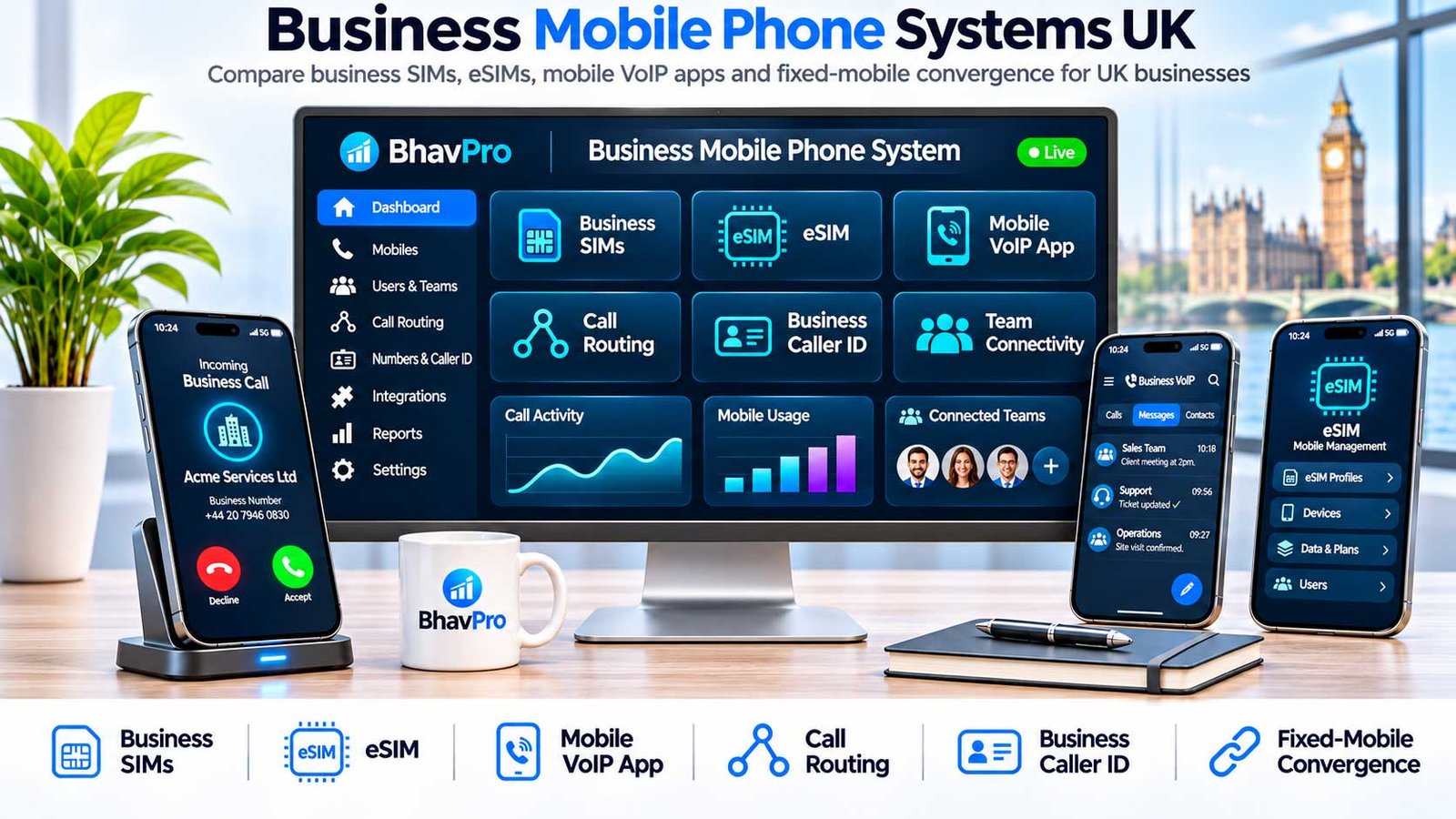
Direct Answer: Fixed-mobile convergence (FMC) connects mobile users to a business calling identity and phone-system functions. A cloud PBX app normally uses Wi-Fi or mobile data; a supported SIM-native service uses eligible operator integration; basic forwarding normally redirects incoming calls without changing how ordinary outgoing mobile calls display. The right model depends on caller ID, transfers, recording, coverage and support.
On This Page — Open Contents
What Is a Business Mobile Phone System?
Short answer: a business mobile phone system is the combination of mobile connectivity, business phone numbers and calling controls that lets employees speak to customers while working away from an office. It may be a normal business SIM/eSIM or a mobile integrated with a cloud phone system.
The key buying question is not simply whether staff can make calls on a smartphone. It is whether the business needs only a mobile number, or needs a shared company calling identity, transfers, queues, voicemail, supervision or reporting across mobile and office users.
A business SIM or eSIM typically supplies mobile-network access, a mobile number and plan allowances. A cloud-PBX mobile app makes a handset a business extension over Wi-Fi or mobile data. Call forwarding redirects incoming business calls to a mobile. Fixed-mobile convergence (FMC) may integrate an eligible mobile service with PBX features through the phone's native dialler. These are different architectures, not interchangeable labels.
Best next step: list the business number customers must see, the calling functions staff need and where the phones will be used. Then compare the four routes below. Avoid buying a long mobile contract before checking coverage, number ownership and whether the system can present your published company number.
What Do Business SIMs and eSIMs Include?
Direct answer: a physical SIM and an eSIM are two ways to provision a mobile service. An eSIM does not, by itself, add PBX extensions, shared office caller ID or business call recording.
For employees who only need their own mobile number, the starting point is the network and plan rather than an office phone-system licence. Verify real coverage at work sites, voice and data allowances, tethering and roaming conditions, contract renewal, handset management, cancellation and access to numbers when staff leave.
| Requirement | What To Confirm In Writing | Why It Matters |
|---|---|---|
| SIM or eSIM provisioning | Supported handsets, activation, SIM swaps, replacement and transfer procedures. | A broken or inaccessible activation may prevent a staff member from taking calls. |
| Network coverage | Voice and mobile-data coverage at depots, customer sites and on the road; test in person. | Predicted coverage is not a guarantee of usable calling indoors. |
| Business number ownership | Whether the mobile and published business numbers are portable and who controls each account. | Prevents confusion when employees change role or the organisation changes supplier. |
| Plan and contract | Minutes, data, international and roaming charges, fair-use limits, price changes, duration and exit fees. | Headline SIM prices can exclude material operating costs. |
| Corporate management | Billing visibility, admin access, device security, offboarding and support responsibilities. | A normal personal mobile plan is not a complete business communications control system. |
Use Ofcom's guidance on mobile coverage and full-plan costs to frame the checks. For supplier tariffs and allowances, use a dedicated mobile contract comparison rather than this technical architecture guide. This BhavPro article concentrates on the calling architecture and operational consequences, not the cheapest network contract.
Four Business Mobile Calling Options Compared
Start with the way customers reach staff and the number displayed when staff call back. A business mobile contract, inbound diversion, app-based PBX and network-integrated FMC solve different problems.
Business SIM or eSIM — Standalone Mobile Calling
A mobile plan gives each user a network line, number and service allowances. Provisioning may use a physical SIM or an eligible eSIM. It is suitable when staff can use individual mobile numbers and do not require a shared landline number, queue, PBX transfer or system-level recording.
Mobile-only staff or small teams that need ordinary mobile calls, SMS and data with central business billing.
Coverage, eSIM activation, ownership of the number, contract exit, roaming, data, staff offboarding and whether the published business number is needed.
Important: neither a SIM nor an eSIM automatically gives callers the company's office number. For that task, compare the other three models.
Business Call Forwarding or Simultaneous Ring
An existing business number or PBX redirects incoming calls to a staff mobile. This is often simpler than a full extension, but does not automatically control the number shown when a user places an outgoing call with the ordinary mobile dialler.
Occasional out-of-office calls, sole traders needing inbound coverage or temporary fallback.
Outgoing caller ID, mobile voicemail interception, per-minute diversion charges, call timeout, recording path and rollback.
Mobile VoIP or Cloud-PBX Application
An employee signs into a supported PBX app. Business calls can reach the app, and correctly configured outbound calls can show an authorised business number. The app usually requires Wi-Fi or mobile data, a supported device, notification permissions and the relevant licence.
Hybrid teams requiring one published business identity, internal transfers or app calling without changing their mobile operator.
Locked-screen ringing, background/battery permissions, mobile-data performance, handover, recording and licence entitlements.
Primary-source example: 3CX's Android push guidance explains device settings that can affect app-based call delivery.
Fixed-Mobile Convergence (SIM-Native Calling)
A supported operator service can join an eligible mobile line and business calling platform so employees use the handset's native dialler for eligible integrated calls. This is different from having a normal business SIM with no PBX integration. Supported numbers, recording, queues, SMS and international use depend on the actual product.
Field teams that require business-number identity in the native dialler with documented integration functions.
Eligible mobile operator, supported devices and numbers, transfers, recording, roaming, contract lock-in, account ownership and support.
Documented examples: Vonage Mobile Connect UK, Teams Phone Mobile and PiPcall Mobile+ describe distinct implementations. These are not ranked reviews or proof of call quality.
Business SIM vs Call Forwarding vs VoIP App vs FMC
The first comparison is functional, not a claim that every product in a category offers identical features. Verify the exact tariff, licence, handset and quoted configuration.
| Buying Question | Business SIM / eSIM | Forwarding | Cloud PBX App | SIM-Native FMC |
|---|---|---|---|---|
| Which number do customers dial? | User's mobile number | Published business number routes to mobile | Published business number / assigned user number | Eligible integrated business/user number |
| Which caller ID is shown outwards? | Usually the mobile number | Usually the mobile number via normal dialler | Authorised business identity via supported app | Supported business/user identity via eligible service |
| Does calling need mobile data? | Normal cellular voice does not | Diversion leg normally uses cellular voice | Typically Wi-Fi or mobile data | Operator/product-dependent; may use cellular voice |
| PBX transfers and queues? | Not part of a normal SIM plan | Not inherent in simple diversion | Depends on app and PBX licence | Depends on operator and integration tier |
| Business call recording? | Not a default SIM function | Recording may not cover mobile leg | Possible on supported call path | Possible where integrated and licensed |
| Number and contract controls? | Mobile account, SIM/eSIM and tariff | Mobile account plus original business number | Mobile plan, PBX licences and company number | Mobile operator, PBX, integrated number and contract |
| Main operational risk? | Poor coverage, staff ownership and mobile-number exposure | Caller ID, voicemail interception and diversion charges | App notifications, data availability and permissions | Compatibility, availability and supplier/operator exit |
| Typical decision trigger? | Staff can work from their own assigned mobile number | Only inbound company-line reachability is needed | Shared company identity plus PBX features on mobile | Native-dialler integration is a documented requirement |
Direct answer: choose a business SIM/eSIM when a mobile number and managed allowances are sufficient. Choose forwarding for limited inbound coverage, a PBX mobile app for extension features over data, or FMC only when the operator demonstrably supports the native calling workflow your team needs.
Which Business Mobile Calling Option Fits Your Team?
Match the workflow to the control requirements rather than assuming one architecture is universally cheaper, more reliable or more capable.
| Work Situation | Start By Evaluating | Confirm Before Choosing |
|---|---|---|
| Solo mobile professional One user, mostly inbound enquiries | Business SIM/eSIM; forwarding if a separate published number is needed | Caller identity, coverage, voicemail and ownership when changing supplier |
| Trades or field service A few workers across customer sites | Managed SIM/eSIM with a shared call route; app or FMC if transfer/identity is critical | Signal at real sites, missed-call routing, staff handover and charges |
| Hybrid office and remote team Office number, extensions and transfers | Cloud-PBX mobile application | Locked-phone ring tests, permissions, queues, device controls and fallback |
| Mobile-first operations Native dialler required for business calls | Eligible network-integrated FMC products | Operator eligibility, recording and roaming on actual devices |
| Microsoft Teams telephony users | Teams Phone user calling; Teams Phone Mobile only where supported | Operator, licence and supported number types; do not treat service numbers as mobile user numbers |
If the task is choosing a mobile contract rather than integrating calling systems, compare network coverage and tariffs separately. For deciding between complete office phone-system architectures, consult BhavPro's Business Phone Systems UK guide.
How Can Staff Keep One Business Caller ID On Mobile?
Test both directions. The business number displayed on an outgoing mobile call must be authorised and return to a working business destination—not merely appear in a provider screenshot.
Can staff call customers from a mobile while showing the office number? Often yes, but only through a correctly configured calling path. An authorised PBX application or supported native FMC arrangement can present a business number. Redirecting incoming calls to a personal mobile does not itself change the number used by a normal outgoing mobile call.
- Make an outgoing call from the intended mobile workflow—not a supplier demo account.
- Record the number seen by a test recipient on another network.
- Return the call and verify the expected business route and greeting.
- Check withheld/unknown caller handling and any recorded privacy setting.
Ofcom's Calling Line Identification guidance explains the requirements and responsibilities around accurate CLI information. Do not promise that any arbitrary office number can be presented without authorisation.
What Do Suppliers Actually Support On Mobile?
Official documentation shows that mobile integration is not a single standard product: eligibility and feature restrictions vary across platforms.
These are examples of relevant technical architectures, not a ranked supplier shortlist or an independent performance review. Confirm current availability and product specifications directly before ordering.
| Supplier Documentation | What It Establishes | Boundary / Buyer Check |
|---|---|---|
| Vonage VBC Mobile Connect (UK) | Vonage describes a supplied SIM/eSIM and use of the native dialler as an integrated business calling device. | The official guidance says international roaming is unavailable for Mobile Connect; check SMS/data limitations and account entitlement. |
| Microsoft Teams Phone Mobile | Eligible mobile operators can supply SIM numbers integrated with Teams Phone user calling. | Microsoft states voice application service numbers (auto attendants and call queues) are not supported by Teams Phone Mobile. |
| 3CX Android Application | A PBX app with mobile call and forwarding functions rather than a network-integrated SIM extension. | Push permissions and device background restrictions require actual device testing. |
| TISA Pocket Office SIM | Supplier describes a SIM combining mobile service and cloud PBX extension with business calling through the normal call screen. | Verify contract, supported number identity, exact extension features and portability with the supplier. |
| PiPcall Mobile+ | Describes mobile-network business calling with native-dialler functions and business-number identity. | Supplier marketing claim; verify exact service, device, contract, security and support conditions directly. Supplier page. |
The existing Microsoft Teams Phone UK guide remains the owner of Teams licensing, Calling Plans, Operator Connect and Direct Routing; this guide only uses Teams Phone Mobile to illustrate a relevant convergence architecture.
Which 16 Tests Should You Run Before Deployment?
Run these tests on the exact SIM/eSIM, handset, business number, operator and PBX configuration you intend to use. Mark Pass, Fail, Not Available or Not Tested.
This buyer-operated test worksheet is the central deliverable of the guide. It does not claim that BhavPro has measured supplier performance. Use an authorised pilot device and record each outcome before migrating published customer numbers.
Mark each test Pass, Fail, Not Available or Not Tested. Results remain in this browser only and are not submitted to BhavPro.
How Much Do Business Mobile Phone Systems Cost?
Direct answer: the real cost depends on how many employees need a mobile line and whether the business also needs PBX seats, diversion, app data or operator-integrated features. Enter written supplier quotes rather than relying on arbitrary headline prices.
The estimator compares four different capabilities: mobile SIM only, business-number forwarding, PBX app calling and eligible FMC. Standalone SIM does not replicate business-queue or extension features. Costs are illustrative inputs, not vendor quotations, and a cheaper result is not automatically a like-for-like replacement.
Use your own monthly licence and service costs. Blank or zero values are not evidence of a free product.
How Do You Pilot And Migrate Safely?
Pilot a small set of representative handsets before moving customer-facing calls. Assign a named owner for routing and a tested rollback procedure.
- Record: list owned DDI numbers, mobile numbers, current routing, licences, devices and support contacts.
- Choose: define whether the business needs inbound reachability only, a data-based extension or operator-integrated native calling.
- Pilot: test real calls on representative handsets and networks; record outcomes using the checklist above.
- Switch: migrate a small user group with rollback ownership, change windows and customer-facing continuity.
- Verify: check first bill, caller ID, voicemail, transfer, retained records and leaver access after launch.
Keep any number-porting decision separate from a simple diversion change. If number ownership or porting is needed, see BhavPro's VoIP Number Porting UK guide.
Which Caller ID, Recording And Emergency Risks Matter?
Treat the PBX call path, mobile network path and recording system as separate control boundaries until the supplier proves they are integrated.
Does mobile convergence automatically guarantee compliant recording and emergency calling? No. The actual transport and platform determine whether calls are captured and which emergency calling route is used. A business must verify each call leg, data retention responsibilities and suitable contingency arrangements.
| Risk / Control | What To Check | Accountable Party To Identify |
|---|---|---|
| Emergency access | Check whether the call uses cellular voice or internet telephony; confirm 999/112 routes, location procedures and outage arrangements. | Operator, PBX supplier and business continuity owner |
| Caller ID | Confirm valid, diallable business CLI and correct presentation across networks and roaming where supported. | Operator/telephony provider and PBX admin |
| Recording and transparency | Map which calls are recorded, notices, lawful basis, retention, access, deletion and data processors. | Business data owner, telephony supplier and legal/privacy reviewer |
| Lost handset or employee exit | Disable accounts and eSIM/service access, revoke app tokens, reassign numbers and preserve permitted records. | IT administrator and mobile/PBX supplier |
| Call continuity | Record fallback route for app/data outage and test where mobile voice or broadband is unavailable. | Telephony operator, IT and operational owner |
Read the Ofcom CLI guidance and relevant emergency-access guidance. Any organisation with sector-specific recording duties should obtain appropriate professional compliance advice before relying on a particular call path.
Business Mobile Phone Systems UK — FAQs
What Is The Difference Between A Business SIM And A Mobile Phone System?
A business SIM or eSIM provides an operator mobile number and service allowances. A mobile business phone system may also join company numbers, call routes, transfers, voicemail and reporting through a PBX app or eligible network integration. Not every business needs those extra functions.
Does An eSIM Automatically Give Employees The Business Landline Number?
No. An eSIM is a way to activate an eligible mobile network subscription. An office/business number requires a separate, correctly configured forwarding, app-based or network-integrated calling arrangement.
Is Fixed-Mobile Convergence The Same As Call Forwarding?
No. Forwarding sends inbound calls to a mobile number, but ordinary outgoing mobile calls usually present the mobile identity. Fixed-mobile convergence joins a business phone identity to a mobile calling service, either through an app or supported network/SIM integration. Confirm actual call paths before choosing.
Do Staff Need A Special SIM For Fixed-Mobile Convergence?
Not for an app-based PBX extension: it can normally use the user’s existing internet-capable handset and data connection. Network-integrated FMC uses an eligible operator service or supplied SIM/eSIM and depends on product compatibility.
Can Employees Display The Office Number When Calling From A Mobile?
Often, yes—when placing the call through a configured PBX application or an eligible network-integrated service. Plain mobile-to-mobile calls do not automatically acquire the office caller ID. Verify both display and return-call behaviour.
Will Mobile PBX Apps Receive Calls With The Screen Locked?
They should be tested on each supported phone model. Push notifications, background data, OS permissions, battery optimisation and mobile connectivity can affect receipt of calls; 3CX publishes specific troubleshooting steps.
Does Network-Integrated FMC Work Without Mobile Data?
Some products use the native mobile voice service rather than an app data call, but the precise bearer and fallback vary by supplier. Obtain a written specification and test the handset in the actual locations used by staff.
Can A Teams Phone Mobile Number Be Used For An Auto Attendant?
Microsoft states Teams Phone Mobile supports user phone numbers and not voice-application service numbers for auto attendants or call queues. Businesses needing service numbers must plan those separately.
Does FMC Automatically Record All Business Mobile Calls?
No. Recording depends on the licensed platform, the actual call path and configured retention/access controls. Do not assume ordinary forwarded mobile calls are captured by the PBX recording system.
How Should We Calculate The Cost Of Mobile And Office Calling?
Combine the relevant PBX seats, incremental mobile/SIM charges, eligible FMC add-ons, diversion, recording, support and implementation. Use supplier quotes for every input and remove components already bundled into another charge. The estimator on this page does not provide vendor prices.
Should A Small Business Buy SIM-Only Or A Cloud PBX App?
Start with the calling task. If each employee can use an individual mobile number, a managed SIM/eSIM may suffice. If callers must see a shared company number, staff need internal transfers or business call queues, test a suitable cloud-PBX mobile app. Compare the functional difference before comparing monthly charges.
How Do We Check UK Mobile Coverage For Field Workers?
Check the operator's predicted voice/data coverage and Ofcom's mobile coverage information for the locations your staff actually use. Test calls indoors and on typical routes. Coverage maps are predictions; no provider can guarantee identical performance at every customer location.
Which Business Mobile Phone System Should You Choose?
Choose the simplest mobile calling system that satisfies the published-number, workforce and continuity requirements proven by the pilot tests.
Use a business SIM or eSIM when staff only need an individual mobile number, reliable mobile coverage, managed allowances and clear ownership controls.
Use forwarding if a published office number needs to ring a mobile but full business-number presentation, transfer and recording are not essential.
Consider a cloud-PBX app for shared company caller ID, extensions and transfers when real-device testing confirms that mobile data and notifications are dependable.
Evaluate supported FMC when native handset calling with integrated business identity is a documented requirement and the eligible operator can prove its actual capabilities.
Before agreeing a contract, check number ownership, support boundaries, call recording, emergency access, device activation, total cost and an exit or rollback plan. Use the 16-point pilot worksheet and editable cost estimator to create a reproducible supplier brief.
How This Guide Was Researched
Research method: This is a source-based UK business mobile calling architecture comparison covering four options: standalone SIM/eSIM, inbound forwarding, PBX mobile apps and eligible fixed-mobile convergence. It draws on original operator/vendor documentation and UK communications guidance reviewed on 17 November 2026. Supplier-specific claims are labelled and not represented as independently measured outcomes. The calculator uses visitor inputs, not advertised vendor prices.
- Ofcom — Choosing mobile coverage, contract and full cost
- Vonage — VBC Mobile Connect UK technical guidance
- Microsoft Learn — Plan for Teams Phone Mobile
- 3CX — Android push troubleshooting
- TISA — Pocket Office SIM product description
- Ofcom — Calling line identification
- Ofcom — Emergency access and power cuts
- PiPcall — Mobile+ network-integrated calling (supplier descriptions)
Supplier restrictions, operating-system requirements and contract terms can change. This guide supports a procurement decision but does not replace a quote, pilot, risk assessment or legal advice.
Need Help Designing Business Mobile And Office Calling?
BhavPro's VoIP consultancy can be considered for architecture assessment, system integration requirements, call-path planning and supplier evaluation. The useful starting information is your current phone provider, number ownership, user count, mobile operator, the calling features you need and the test results from this guide.
About The Author

Bhav Giva
Founder, BhavPro · VoIP, CRM And Business Technology Consultant
This guide applies a requirements-and-call-routing perspective using supplier documentation. It does not claim to have independently performance-tested every platform.